AppTrackingTransparency Framework - iOS 14.5
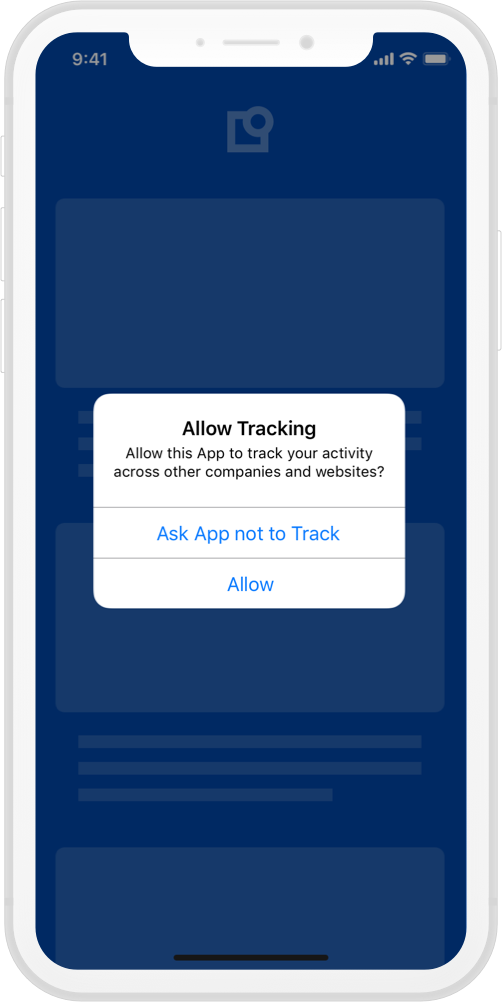
Starting with iOS 14.5, Apple requires you to declare the type of data your app is tracking and ask users for permission to track them. For this, Apple has provided the AppTrackingTransparency framework. (ATT)
Does ATT replace a CMP?
No, it does not. A CMP collects consent based on the legal requirements of a framework, such as GDPR or CCPA/CPRA, which are valid in their respective jurisdiction. Where as ATT is designed to provide transparency about the tracking practices of an App. The underlying value of ATT is to empower users, by giving them the control over who can have access to their Advertising Identifier (IDFA, an ID used by advertisers to identify a unique user/device and provide personalized ads), by signaling to the app developer, that tracking practices should/should not be enabled.
How to support ATT?
-
Add NSUserTrackingUsageDescription to your info.plist, with a description explaining why you want to track your user's data, Import the framework.
-
Create an iOS 14 or later function, and request permission with the AppTrackingTransparency framework.
import AppTrackingTransparency @available(iOS 14, *) private func requestAppTrackingTransparencyPermission() { ATTrackingManager.requestTrackingAuthorization { status in switch status { case .authorized: // Handle Approve case case .denied: // Handle Deny case default: // Consider .restricted and .notDetermined states if needed } } } -
Depending on your App Flow, you may request ATT permission whenever you deem convenient, but we recommend collecting both legal consent via the Usercentrics CMP and ATT permission in consecutive steps.
if #available(iOS 14, *) {
    self.requestAppTrackingTransparencyPermission()
}
If permission has never been requested, the system will prompt the ATT pop-up, and the result will be return on the callback. Once permission has been collected, any future call to this function will directly return the permission status without presenting the pop-up.
iOS 27.2: Alternative ATT prompt in the EU
Starting with iOS 27.2, Apple provides an alternative App Tracking Transparency (ATT) system prompt for apps distributed in the EU. It uses different wording than the standard prompt and is mandatory in some EU countries. This section explains what changes and how it affects your integration.
What changes?
Beginning with iOS 27.2 and iPadOS 27.2, apps can use an alternative version of the App Tracking Transparency system prompt in the EU. It has modified formatting and language, supports a Markdown purpose text, and offers an optional "Additional Information" button.
The alternative prompt is optional in most EU countries, but it is the only version available for apps distributed in Germany, France, Italy, Poland and Romania. The requirements for when you must ask for permission to track users do not change. In the EU, you can also ask a user again one year after their previous choice, unless the user has disabled "Allow Apps to Request to Link Your Activity Across Companies" in Settings.
For the full details, see Apple's documentation on App Tracking Transparency in the European Union.
Using the alternative prompt with Usercentrics
The alternative prompt does not change how ATT works alongside a CMP. ATT still does not replace your CMP, and the Usercentrics SDK does not call ATT or wrap the Apple API. The SDK returns the user's decision and the applied consents, and your app calls Apple's API.
The CMP banner and the ATT prompt are shown separately. We recommend showing the ATT prompt right after the banner, in the callback you pass to showFirstLayer or showSecondLayer
- Your app shows the banner.
- The user taps Accept All. The SDK saves the consents first, then dismisses the banner.
- Your callback receives the response with
userInteraction == .acceptAll. - Your app calls Apple's
requestTrackingAuthorizationand handles the returned status.
Usercentrics does not call App Tracking Transparency (ATT) and does not wrap the Apple API
The SDK only returns the user's decision and the applied consents. Calling Apple's API is done in your app code.
Recommendations
- Trigger the ATT request only on
acceptAll. ForgranularordenyAll, decide according to your own policy. - Mention in the prompt text that the user has just given consent in the dialog. The text is static.
- Handle every status Apple returns and do not assume the prompt was shown. The completion handler can return immediately, for example when tracking is restricted.
- Call ATT on the main thread, and if you present other UI after the banner, wait until it is visible. The system does not show the prompt when the app is not active.
- The consents are already saved when the callback runs, and the ATT result does not change them.
- Test on a device or simulator with iOS 27.2 or later, and on one with an earlier iOS version, so that both the new and the classic request are checked.
Is it possible for a user to change their ATT decision?
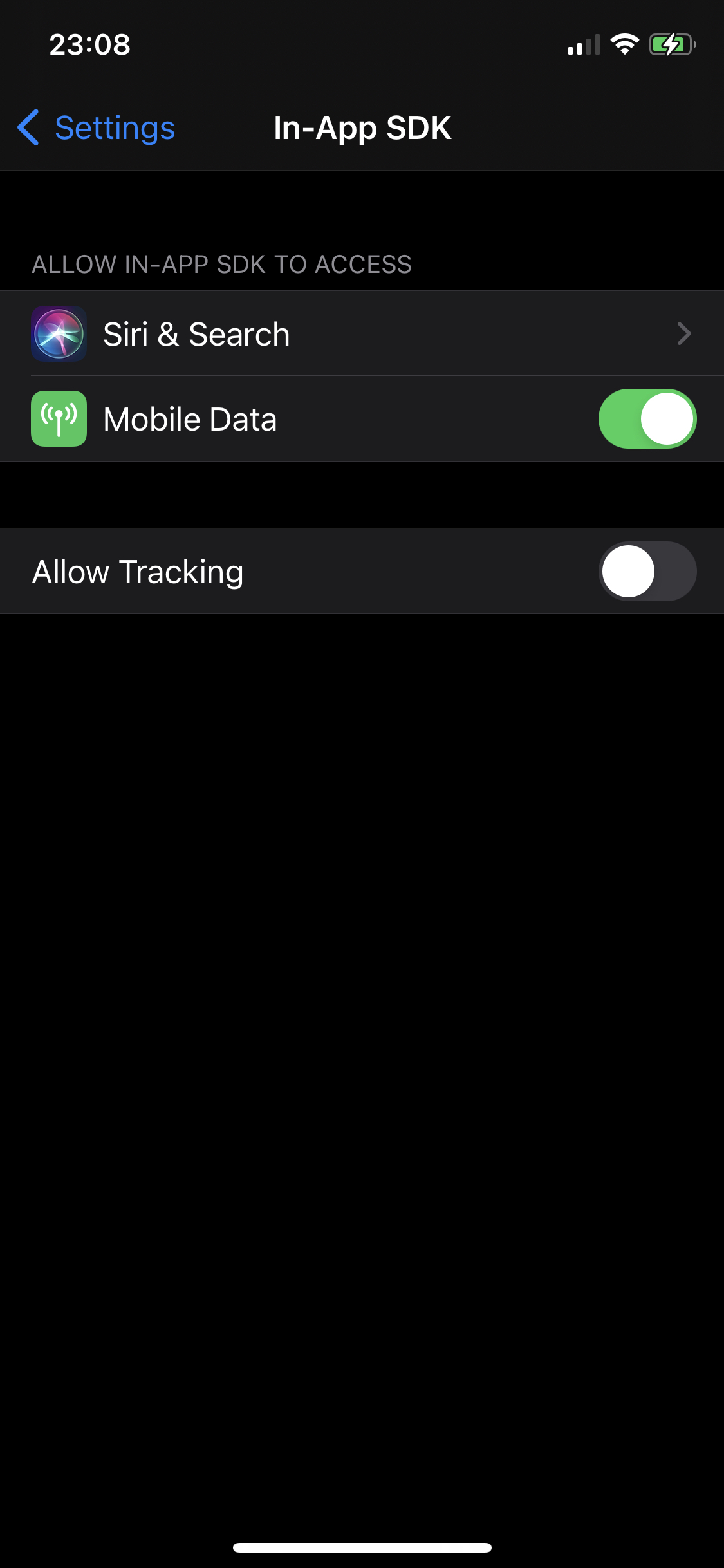
In case you change your tracking practices and want to guide your users to re-evaluate their ATT decision, you can always facilitate the path to your App Settings, by calling the following method:
if let appSettings = NSURL(string: UIApplication.openSettingsURLString) {
    UIApplication.shared.open(appSettings as URL, options: [:], completionHandler: nil)
}
This will forward users to your specific App settings, where they can change their settings if they so wish.
Do NOT force users to give ATT permission
We highly discourage limiting functionality or blocking users, if they do not provide ATT permission.