Bot detection
In which plan is this feature available?
This feature is available to all customers (including the free Starter plan).
Prerequisite
This feature requires Smart Platform.
Bot detection adds an HTTP header to incoming requests with a Boolean (True/False) classification on whether they seem to be coming from bots.
Common use cases
This data point can be used to:
-
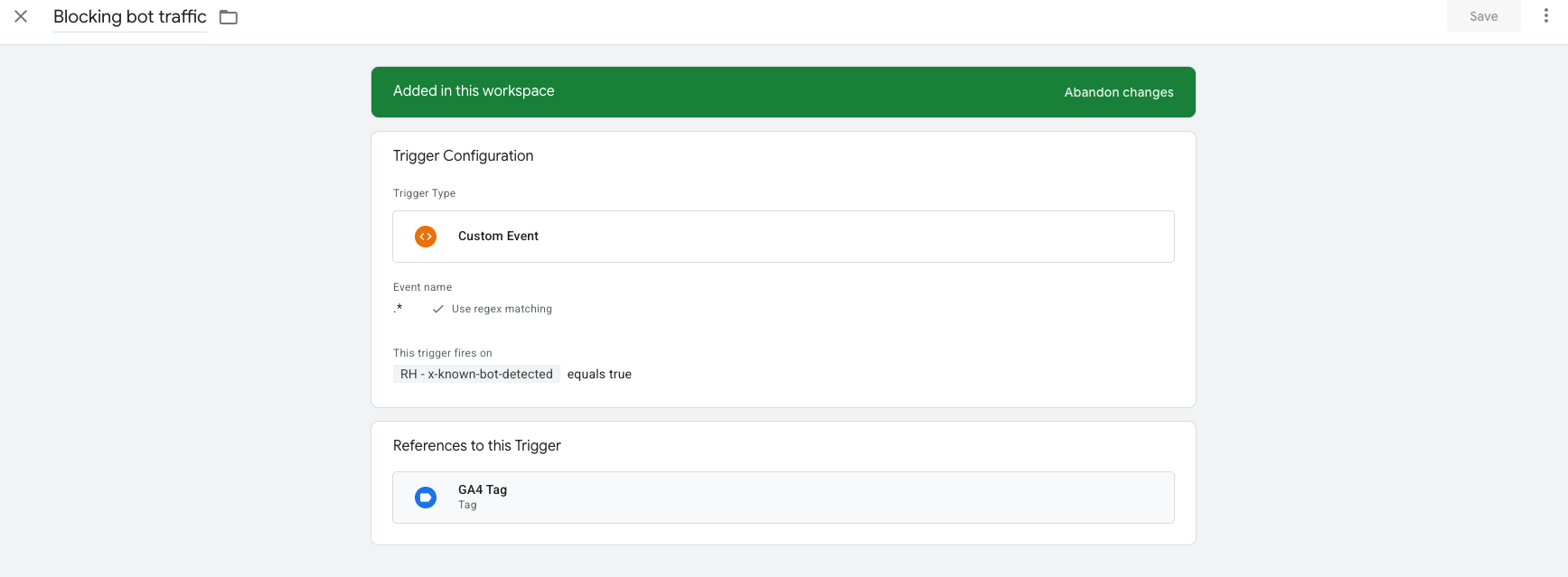
Prevent bot-originated traffic from reaching analytics systems (creating blocking triggers).
-
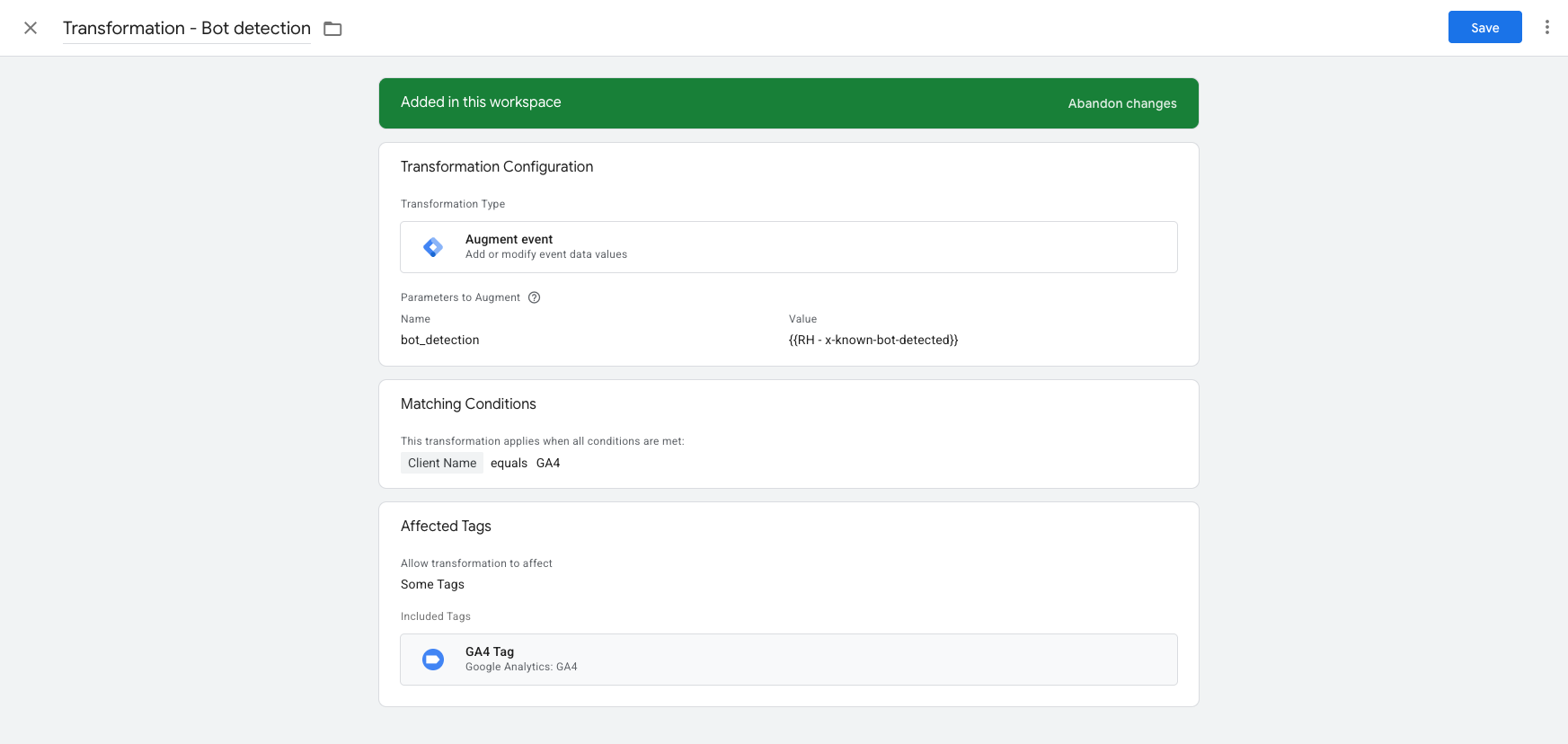
Add metadata to these events so that later you can filter or review them in analytics or reporting systems (creating transformations).
How to use this feature
To use this feature, the container’s custom domain(s) must be set up through the Smart Platform. After that, the header will be available on every request.
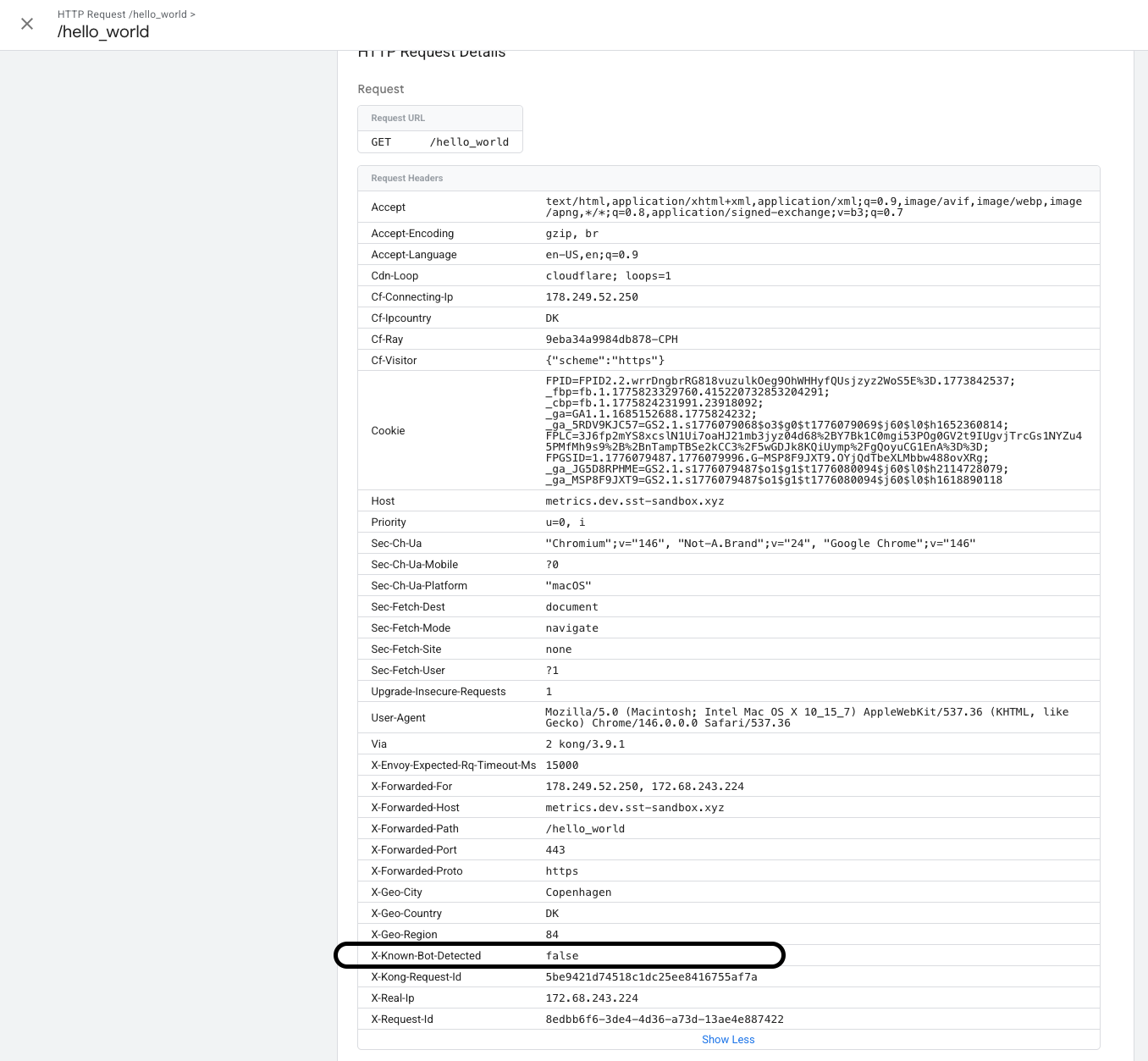
To verify the header is available, open your container’s preview mode and send a request to it. Select it from the list, open the Incoming HTTP Request section, and observe the header is present.
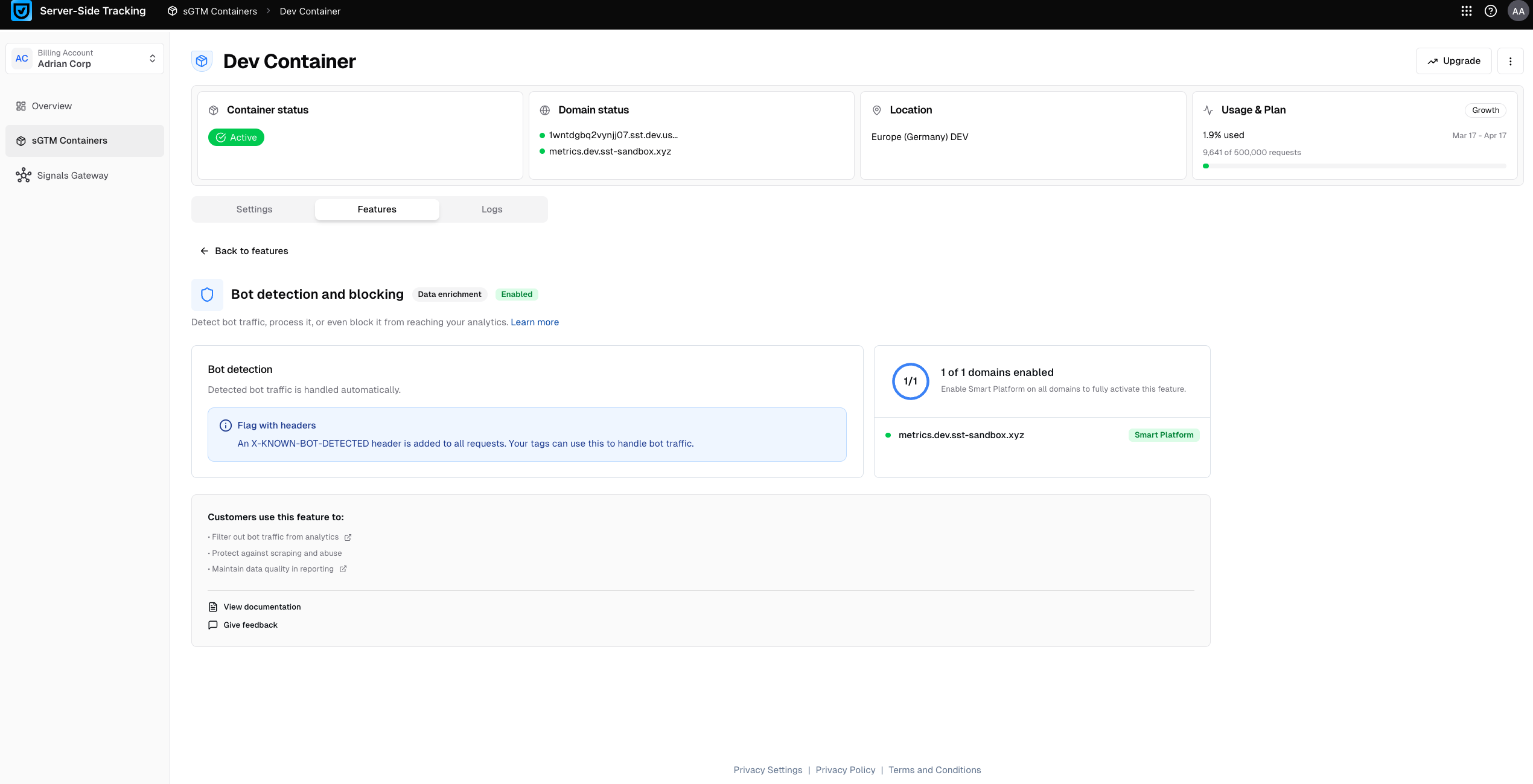
Then in Usercentrics you will see that the feature is now enabled.
How to use bot detection in your sGTM container
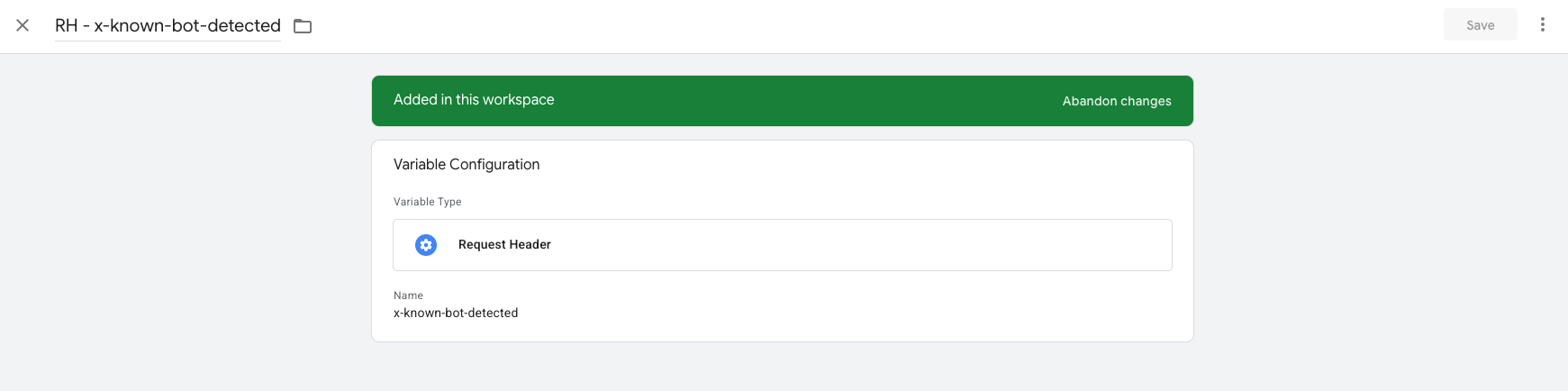
Once enabled, the X-Is-Bot header is available on every incoming request. To use it inside your container, create a Request Header variable in sGTM:
-
In your sGTM workspace, go to Variables - New.
-
Choose Variable type:
HTTP Request Header. -
Enter the header name:
x-known-bot-detected. -
Name the variable (e.g.
RH - x-known-bot-detected) and save.
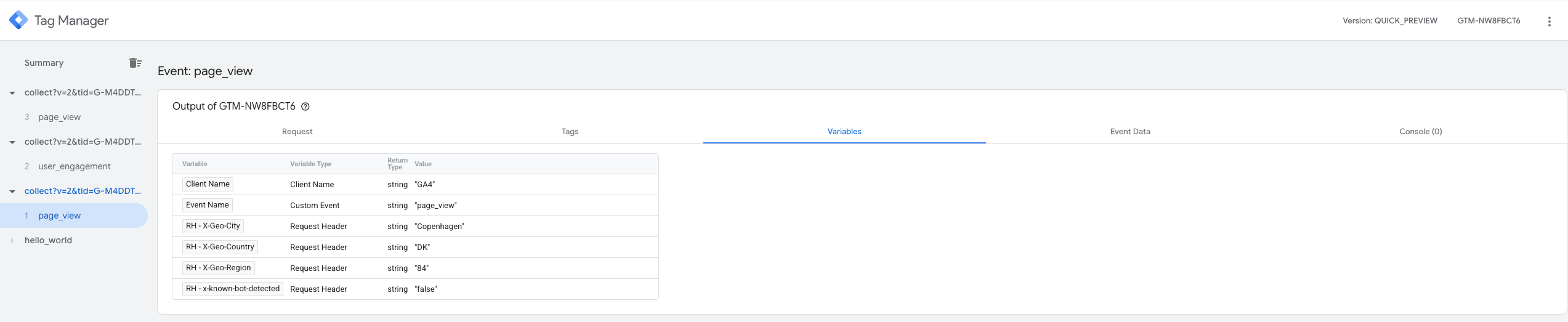
To verify that the header is arriving, open your container in Preview mode, trigger a request, and check the Incoming HTTP Request tab. You should see the RH - x-known-bot-detected header listed there.
Use cases
Block bot traffic from analytics: Create a blocking trigger that fires when Header - Is Bot equals true, and apply it to your GA4, Google Ads, or Meta tags. This prevents bot-generated events from inflating your reporting and skewing conversion data.
Annotate events for downstream filtering: Rather than blocking events outright, use a transformation to attach the bot classification as an event parameter (e.g. is\_bot: true). This lets your analytics team filter bot traffic in reporting tools without losing the raw data.
Protect ad platform signals: Bot traffic sent to ad platforms such as Meta CAPI or Google Ads Conversion API can corrupt your bidding models. Use x-known-bot-detected to gate your conversion tags and ensure only genuine user interactions are sent upstream. You can do this in the same way as described in the Block bot traffic from analytics use case.