Geolocation headers
In which plan is this feature available?
This feature is available to all customers (including the free Starter plan).
Prerequisite
This feature requires that the Smart Platform is enabled.
What are geolocation headers?
Geolocation headers automatically add geographic information to every HTTP request reaching your server-side container. When this feature is enabled, Usercentrics enriches incoming requests with location data derived from the visitor's IP address, without sharing the IP itself with downstream services.
Headers added
When geolocation headers are enabled, the following headers are added to all incoming requests:
| Header | Description | Example value |
|---|---|---|
X-Geo-Country | Visitor's country, ISO 3166-1 alpha-2 | DE |
X-Geo-Region | Visitor's region/subdivision, ISO 3166-2 | DE-BY |
X-Geo-City | Visitor's city name | Munich |
How to enable geolocation headers
Geolocation headers require the Smart Platform to be active on your domain. Once your domain is on Smart Platform, geolocation headers are automatically enabled for you.
Smart Platform is enabled per domain during the domain setup.
If you already have a container, and it is currently using a domain that was added without Smart Platform, you need to remove the domain and then re-add it with Smart Platform. To do so, follow these steps:
-
In Usercentrics Server-Side Tracking, select the sGTM Containers tab on the left menu.
-
Under Your containers, select the sGTM container where you want to use geolocation headers.
-
Select the Settings tab. The configured domains are in the Domains section.
-
If you already have a domain, check if next to the domain name you see "Smart Platform enabled" or "Smart Platform disabled".
-
If it's enabled, geolocation headers are already available to you. You can jump to the How to use geolocation headers in your sGTM container section.
-
If it's disabled, you need to delete the domain, and re-add it.
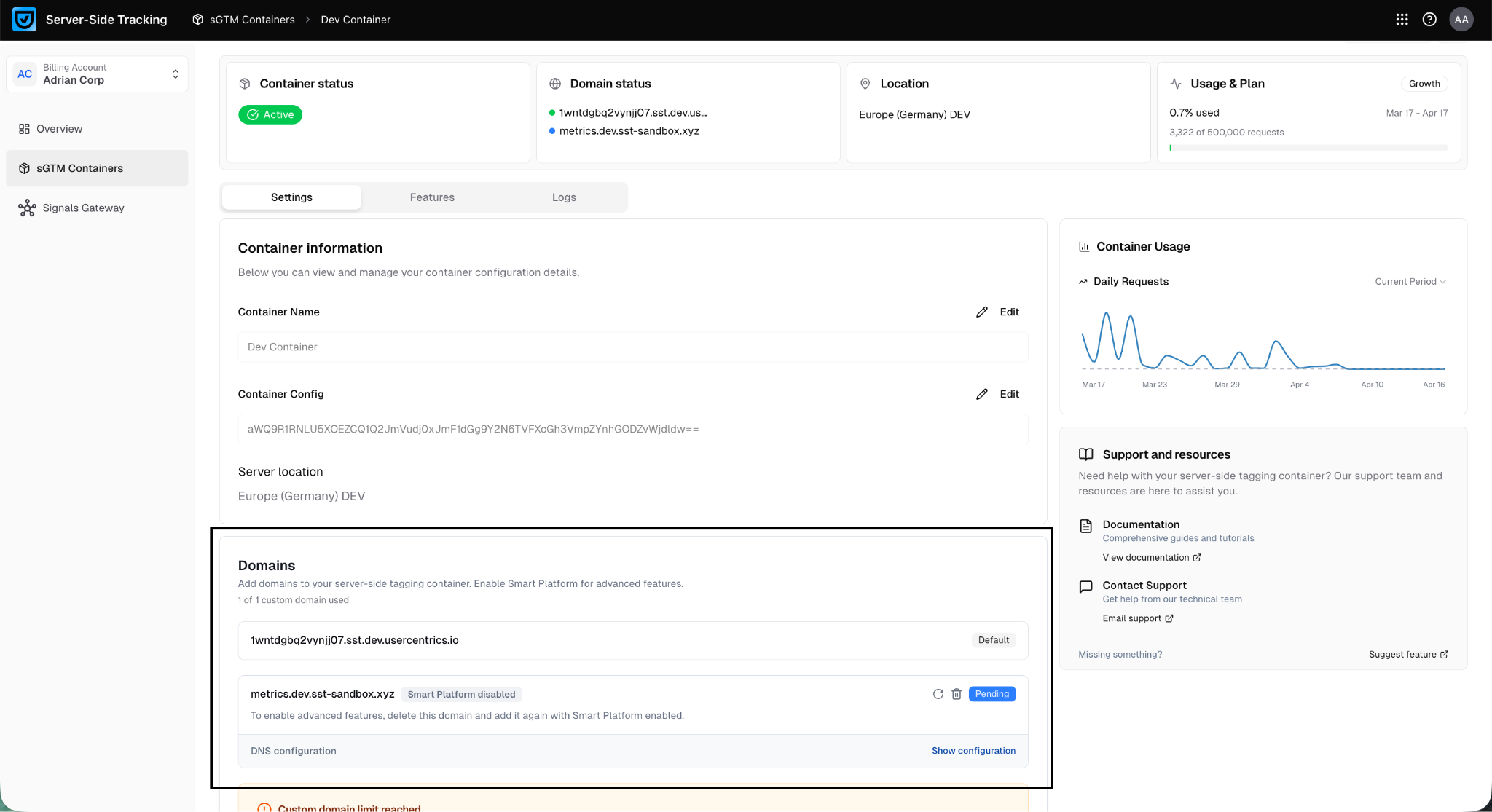
To delete the domain:
-
Use the Delete icon to remove your existing custom domain.
-
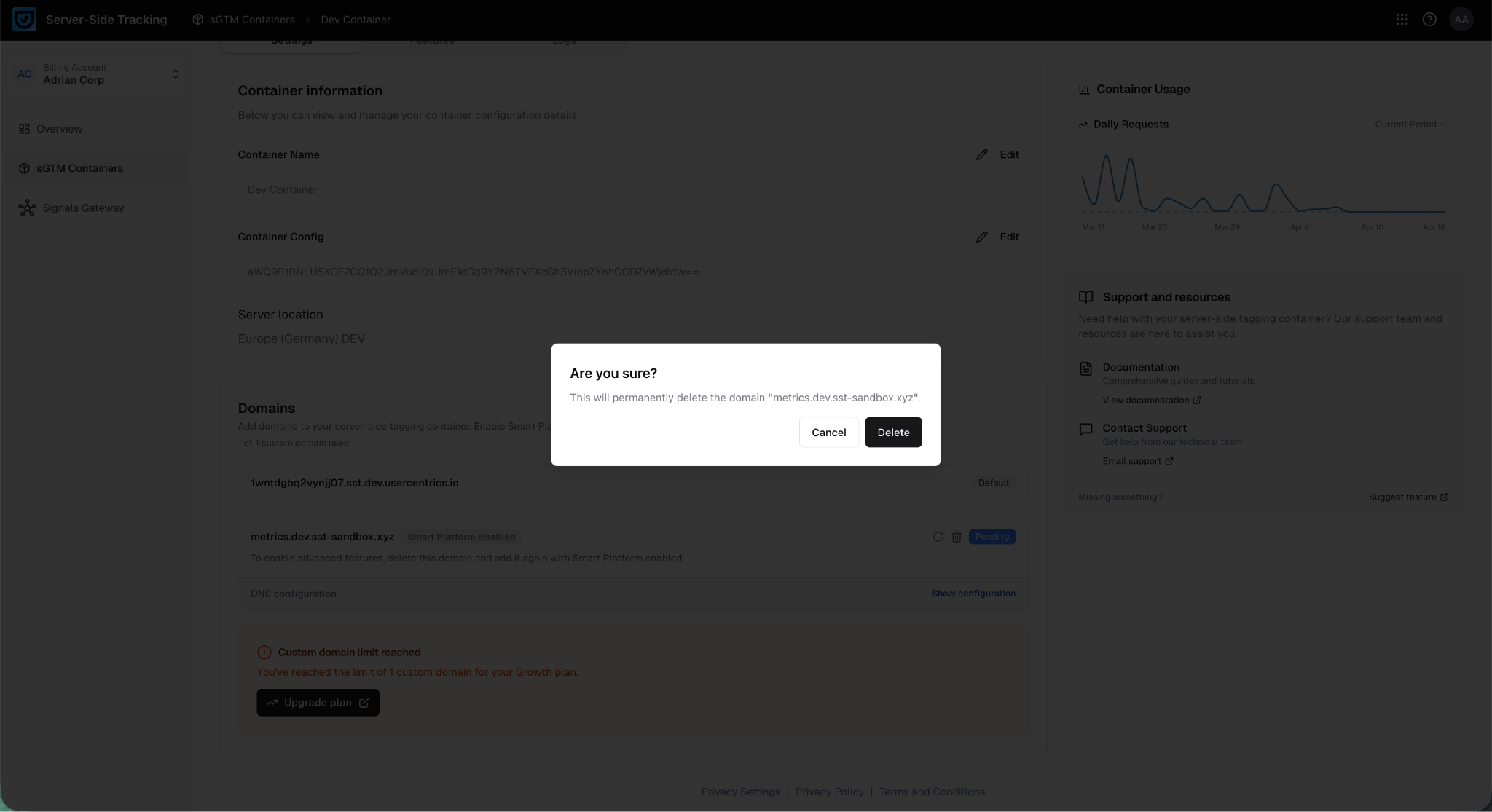
Confirm the deletion by clicking Delete on the confirmation popup.
-
-
Add the domain:
-
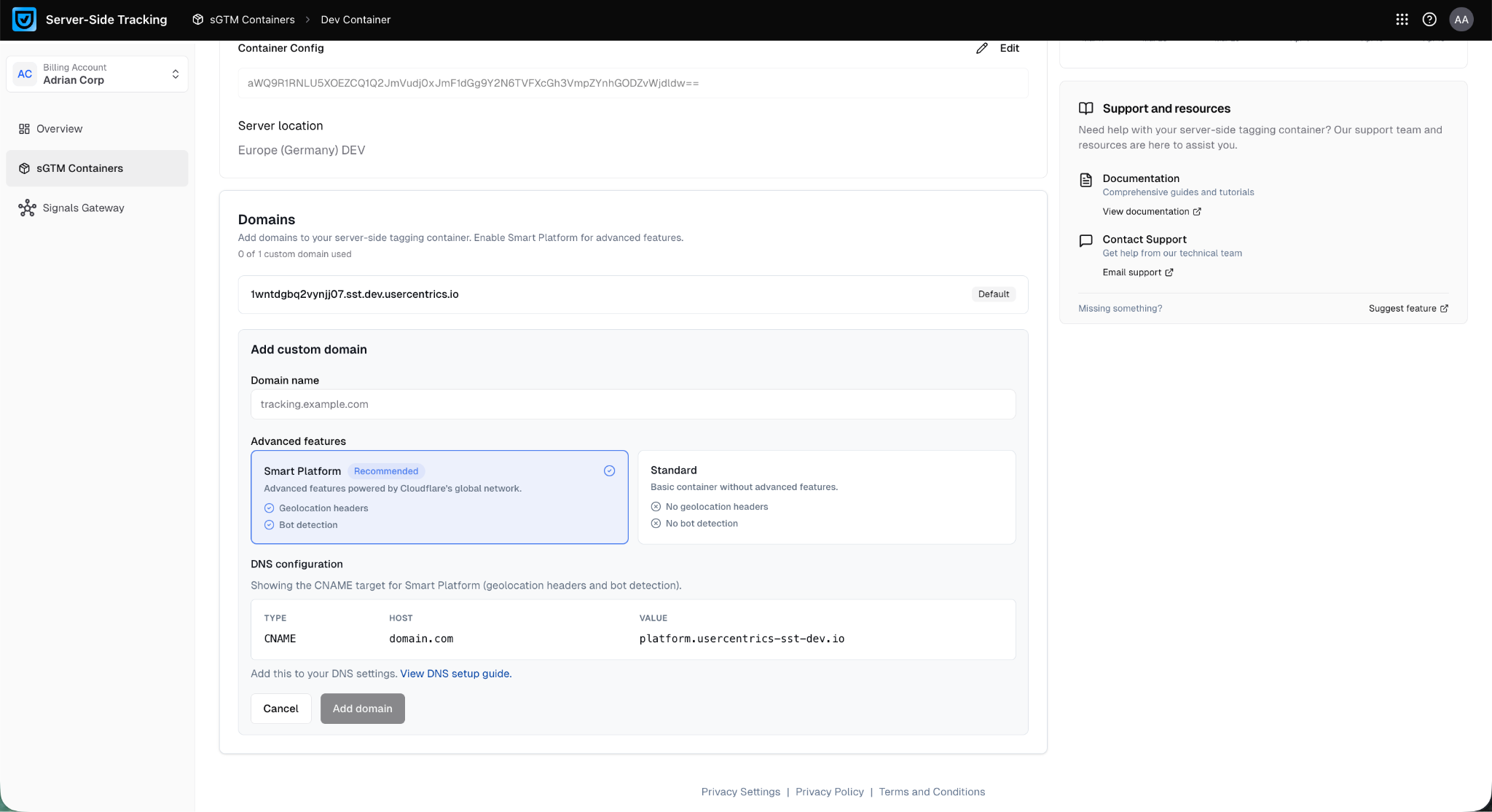
Click Add custom domain to add the domain.
-
Type the domain name. You can use the same domain name as the one you just deleted.
-
Under Advanced features, select Smart Platform.
-
Click Add domain to save the changes.
-
-
In the domain you just added, under DNS configuration select Show configuration.
Update your DNS records with the new values shown in the DNS configuration section. These will differ from your previous setup, if you just deleted an existing domain configuration in step 4. -
Wait for the domain to be verified and shown as Active. This can take a couple of hours.
How to use geolocation headers in your sGTM container
Once enabled, the headers are available inside your server container as part of every incoming request.
To use them, create a Request Header variable in sGTM:
-
In your sGTM workspace, go to Variables - New.
-
Choose Variable type: HTTP Request Header.
-
Enter the header name (e.g.
RH - X-Geo-Country). -
Name the variable (e.g.
Header - Geo Country) and select Save.
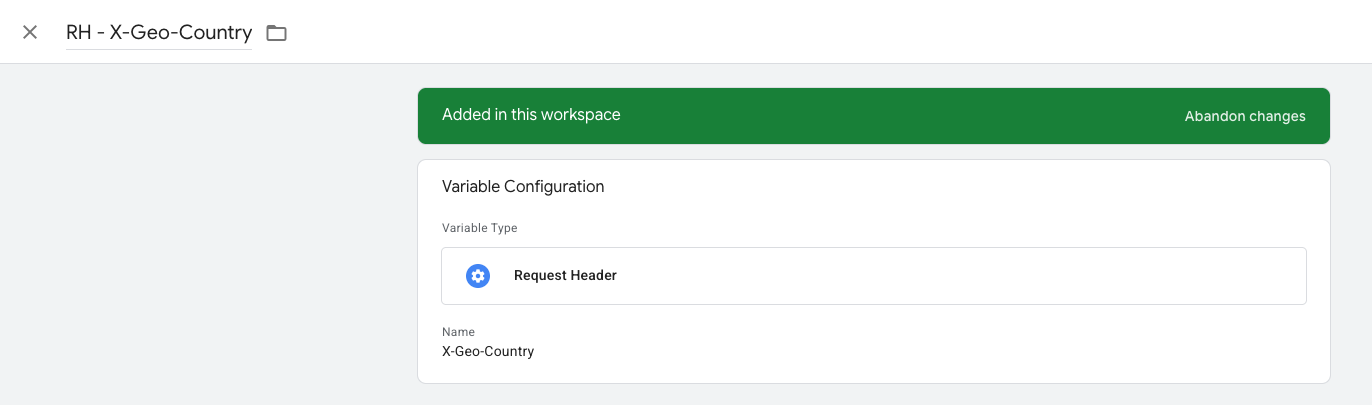
Repeat this for each header you want to use. You can then reference these variables in tags, triggers, and transformations anywhere in the container.
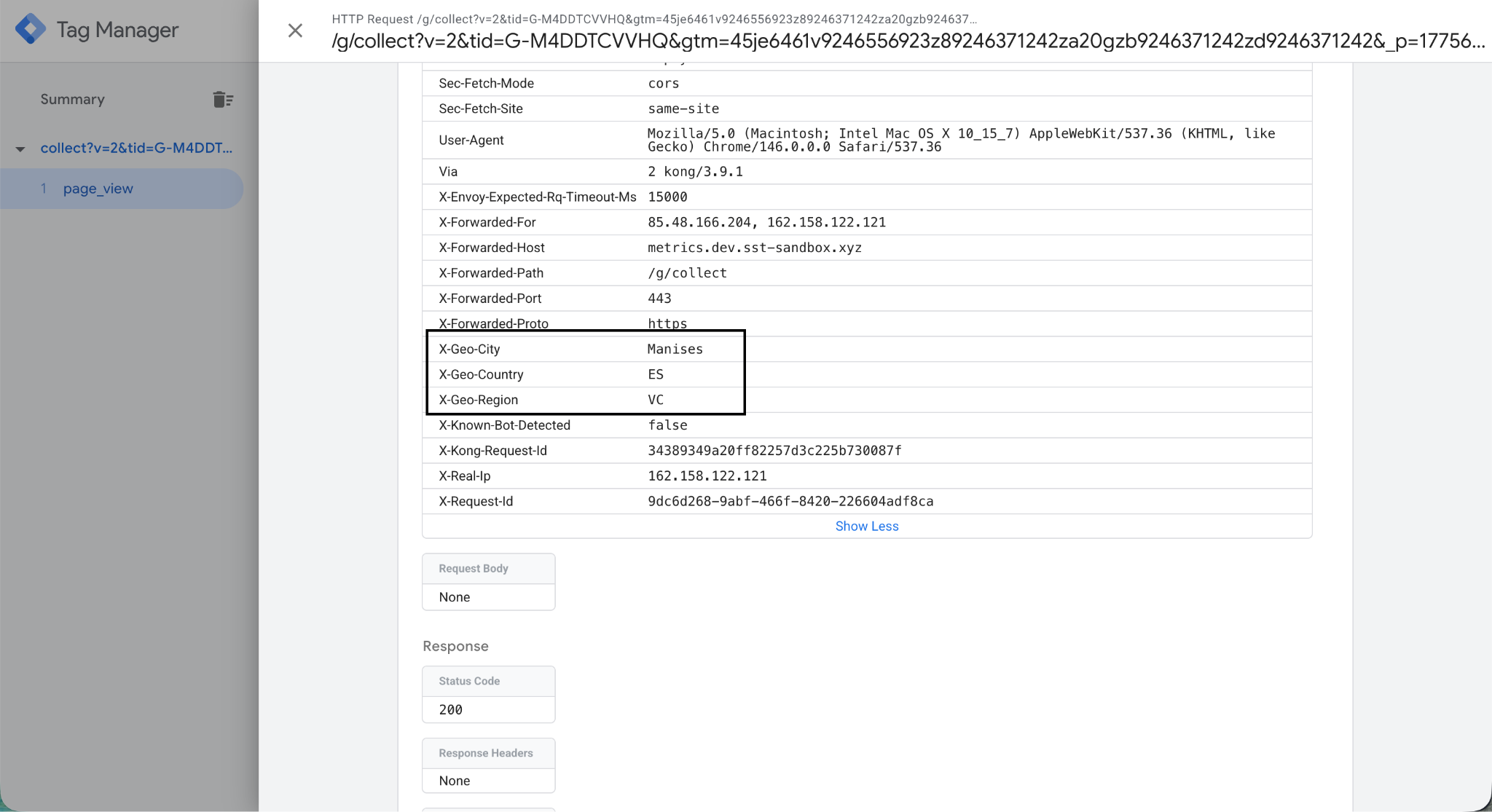
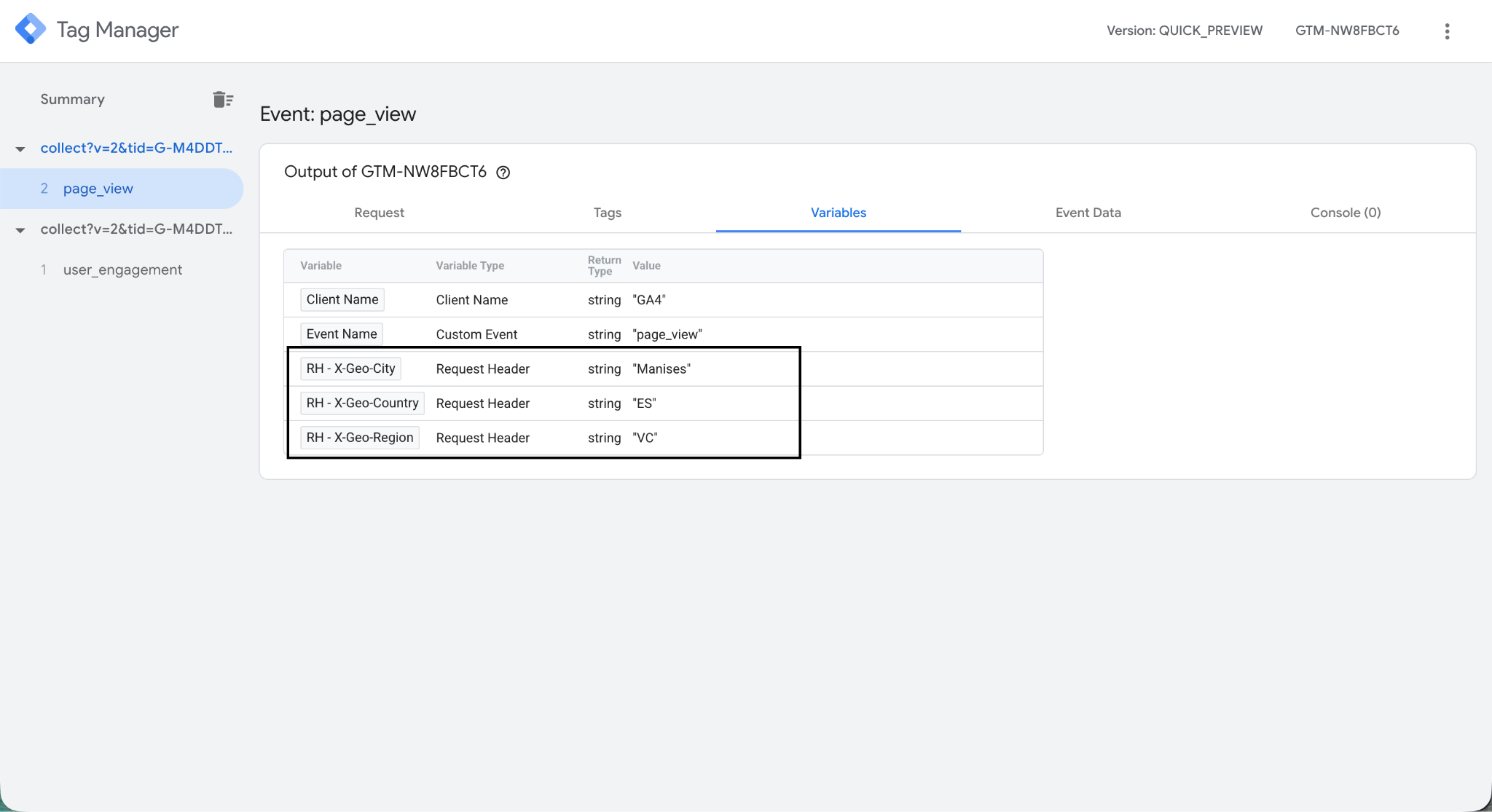
To verify the headers are arriving, open your container in Preview mode, trigger a request, and check the Incoming HTTP Request tab. You should see the X-Geo-\* headers listed there.
Common use cases
Apply consent rules by region: Use X-Geo-Country or X-Geo-Region to conditionally fire tags only for visitors in specific jurisdictions. For example, applying stricter data handling for users in the EU.
Send geo data to analytics and ad platforms: Map the header values to event parameters before forwarding to GA4, Google Ads, or Meta, without passing the raw IP address. This keeps your data enriched while reducing PII exposure to downstream vendors.
Route events to different endpoints by geography: Use the country or region header to route events to region-specific servers or apply different tag configurations based on where the visitor is located.
Notes
-
Location data is derived from the visitor's IP address using a geolocation database. The IP itself is not added to requests or forwarded downstream.
-
City-level data may not be available for all IP addresses. In those cases,
X-Geo-Citymay be empty. -
Geolocation headers add minimal latency to requests.
FAQ
Does enabling geolocation headers count towards my request usage?
No. Geolocation headers enrich requests that are already being processed by your container. Enabling it does not generate additional billable requests.
Is the visitor's IP address stored or forwarded to any service?
No. The IP address is used only to look up the geographic data. It is not stored, added to the request headers, or forwarded to downstream services.
What happens if the IP address can't be geolocated?
If the IP address cannot be matched to a location, the affected headers will be absent from the request. Your tags and variables should account for this. Check that any trigger or tag logic using geolocation headers handle empty values gracefully.
Can I use geolocation headers with my existing sGTM tags without any changes?
Yes, if your tags don't currently reference geo data, enabling this feature has no effect on them. The headers are simply available for you to use whenever you're ready.
Does this work with any custom domain I've set up?
Only domains configured with Smart Platform support geolocation headers. If your existing domain was added without Smart Platform, you will need to remove it and re-add it with Smart Platform selected. You can use the same domain name. Your DNS records will need to be updated with the new values provided during setup.
Can I use geolocation headers to enable region-specific settings for Google Tags?
Yes. Google Tag Manager supports region-specific tag settings using geographic data. You can map X-Geo-Country or X-Geo-Region to the relevant event data fields to enable this behavior inside your sGTM container.
Are geolocation headers available on the Free plan?
Yes. It is available on all subscription plans, including Free.