Resilient script loader
In which plan is this feature available?
This feature is available to all customers (including the free Starter plan).
Ad blockers maintain lists of known tracking domains and script paths. When a browser requests the Google Tag Manager script from googletagmanager.com/gtm.js, ad blockers recognize and block it.
The resilient script loader is a feature in Usercentrics Server-Side Tracking that serves the Google Tag Manager script from a custom first-party path and optionally encrypts Google Tag Manager ID measurement requests, to reduce the impact of ad blockers on Google Tag Manager.
Common use cases for the resilient script loader
This feature improves data collection volume when the user grants consent through the CMP but there are ad blocking systems in the browser or other levels of the network that ignore this explicit consent decision.
This feature enables customers to improve data collection resilience and marketing attribution accuracy by:
-
Loading the Google Tag Manager script from a custom path
-
Not available yet but coming soon: GA measurement request encryption is under active development and will be available in a future release.
How to set up the resilient script loader
To set up this feature, follow these steps:
-
In Usercentrics Server-Side Tracking, select the sGTM Containers tab on the left menu.
-
Under Your containers, select the sGTM container where you want to use the resilient script loader.
-
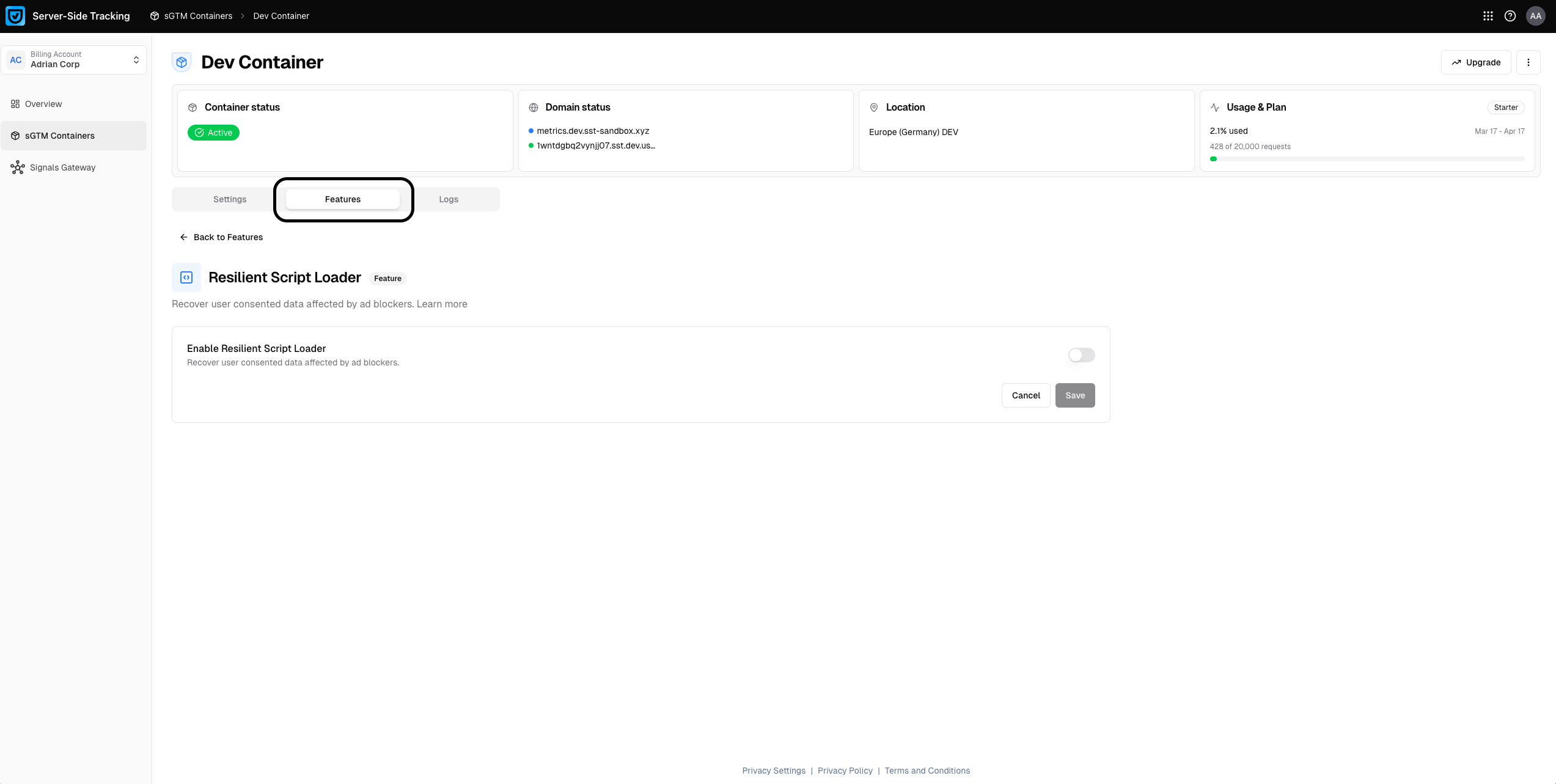
Select the Features tab. Under Advanced features, find the Resilient Script Loader feature and click Use.
-
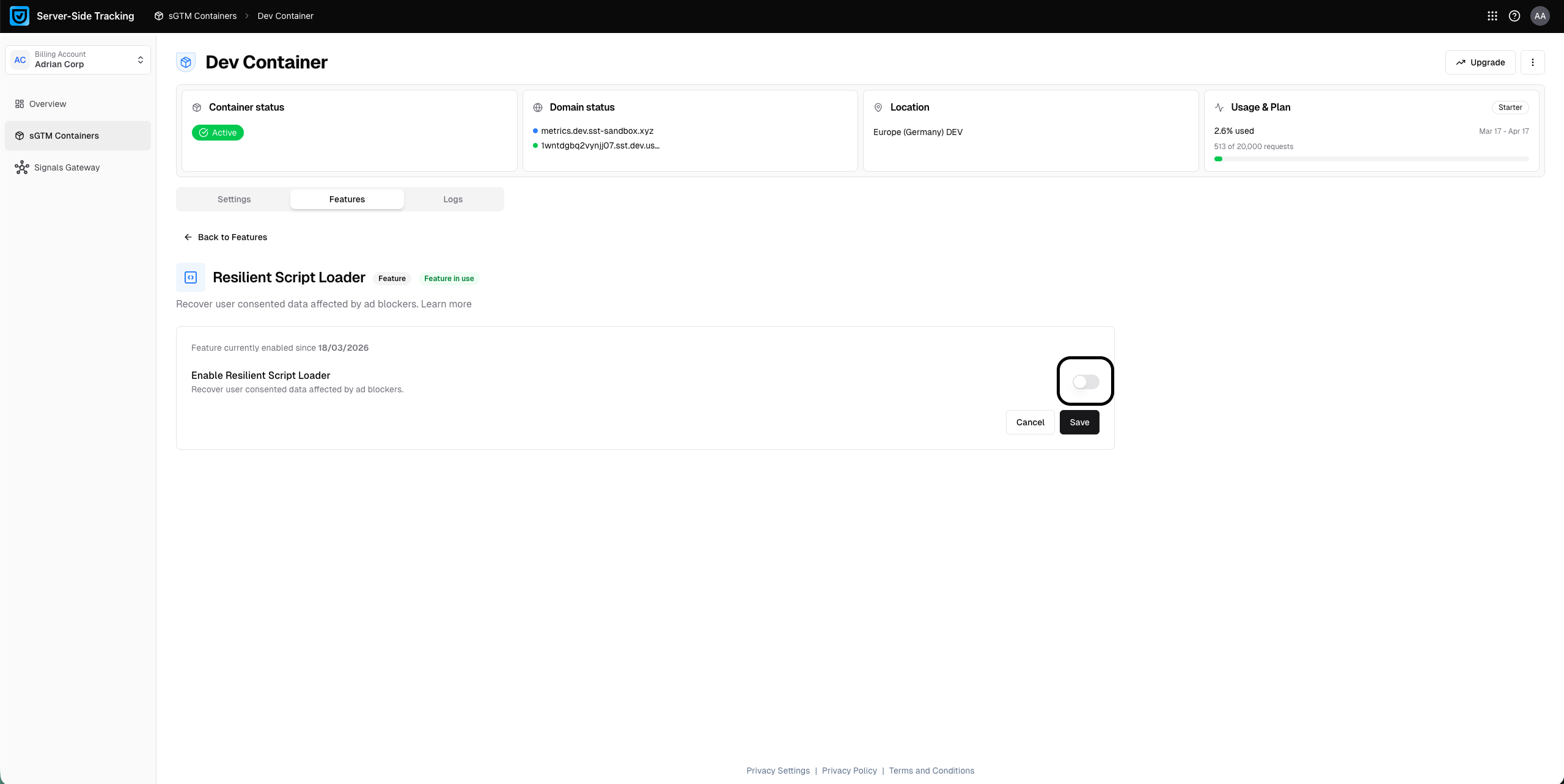
Turn on the Enable Resilient Script Loader toggle.
-
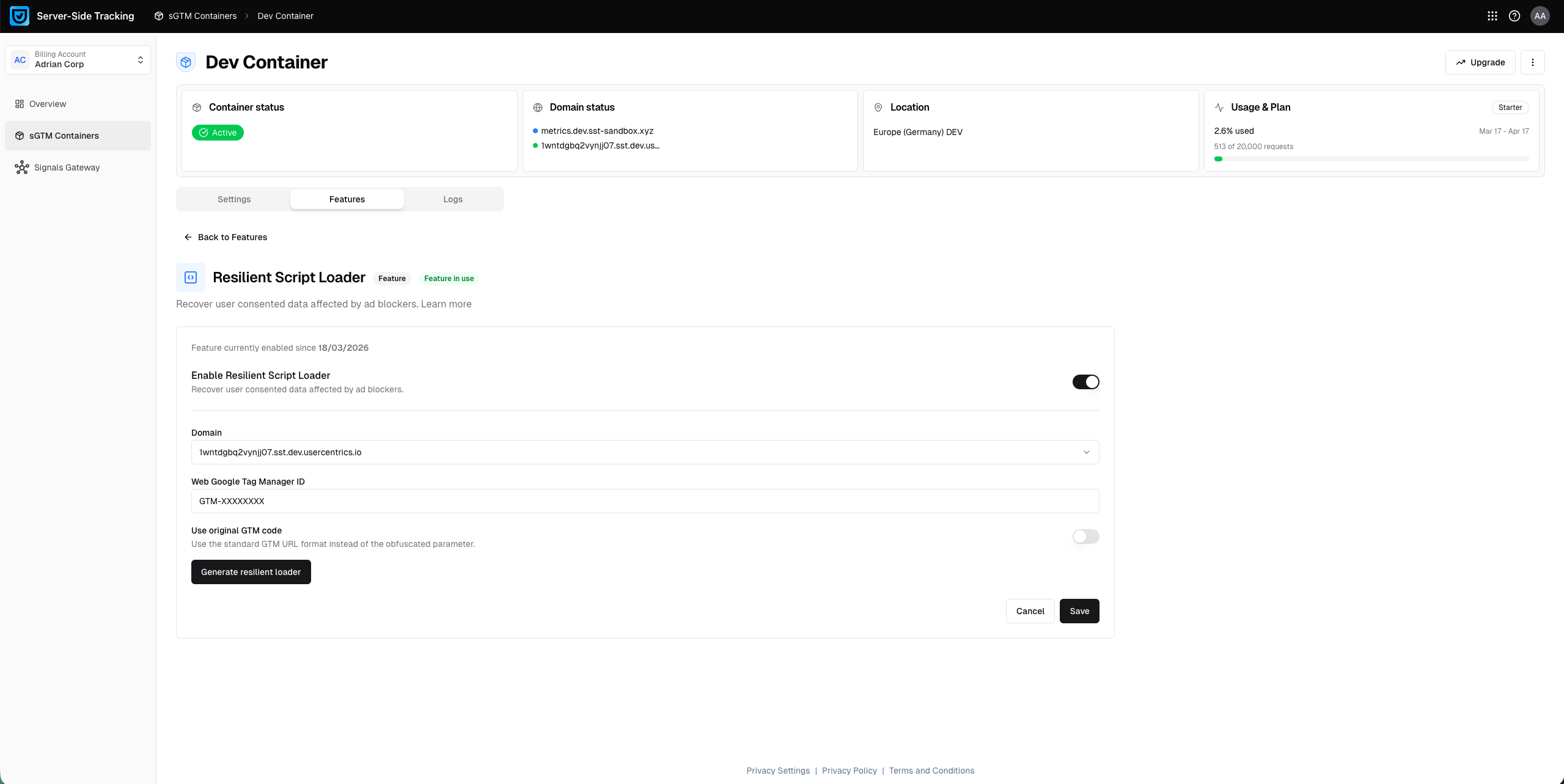
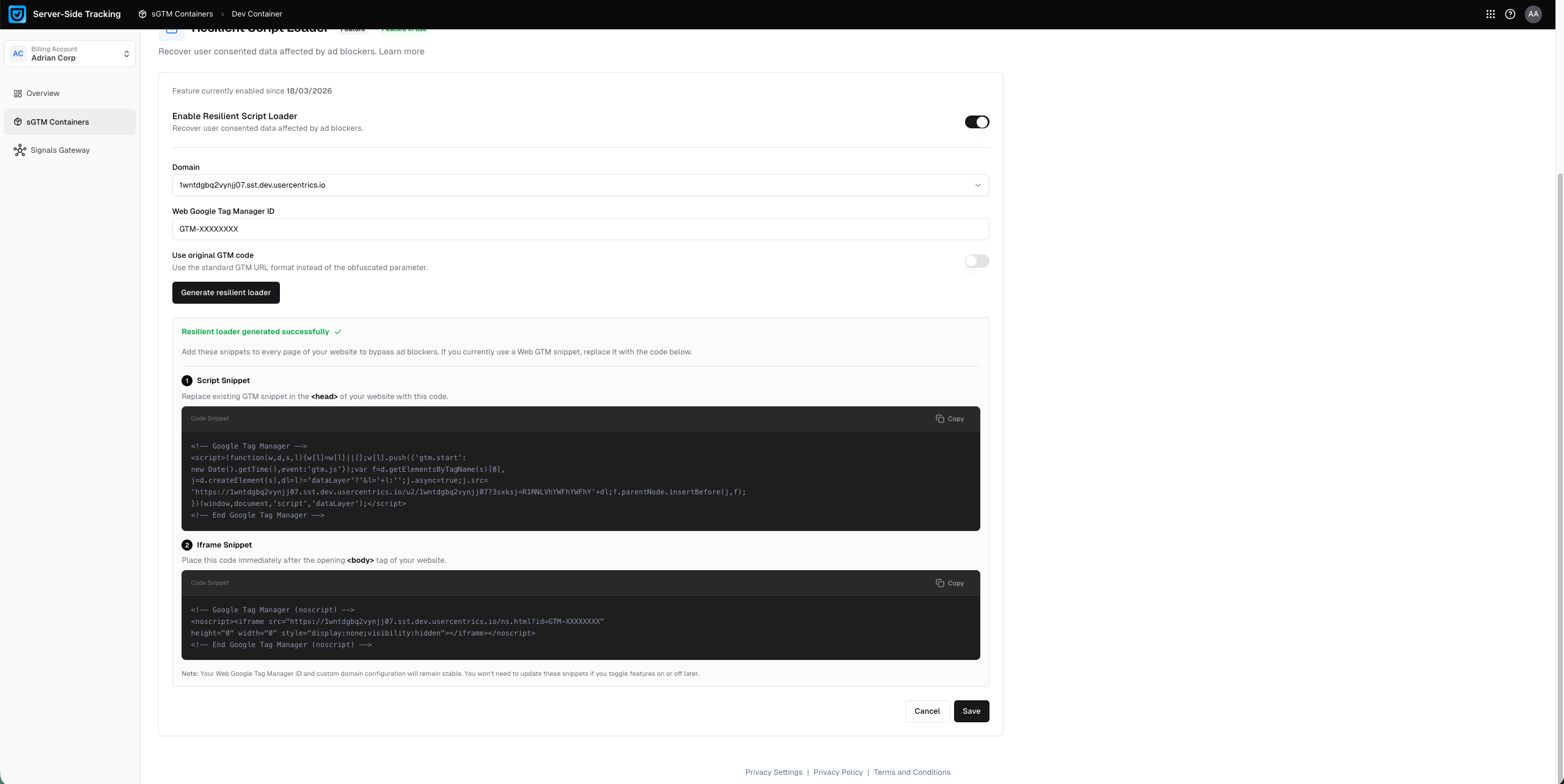
Set your configuration settings: the domain where you want to use it, your Web Google Tag Manager ID, and whether you want to also enable encryption for Google Analytics requests.
-
Click Generate Resilient Script Loader. As a result, the UI shows the code snippets that you need to add to your website.
-
Update your website GTM code with the newly generated resilient loader code. In our example case this is the new resilient loader script. Place the first script in the
<head>tag of your website. The following is just an example, use the script that was generated based on your settings:<!-- Google Tag Manager --> <script> (function (w, d, s, l) { w[l] = w[l] || []; w[l].push({ 'gtm.start': new Date().getTime(), event:'gtm.js'}); var f = d.getElementsByTagName(s)[0], j = d.createElement(s), dl = l!='dataLayer' ? '&l='+l:''; j.async = true; j.src= 'https://metrics.sst-sandbox.xyz/u2/a1b23cdef4ghijkl?5p=A1BCDEFGaaHIaJK' + dl; f.parentNode.insertBefore(j,f); })(window,document,'script','dataLayer'); </script> <!-- End Google Tag Manager -->Additionally, place the second script in the
<body>of your website. It looks similar to this script:<!-- Google Tag Manager (noscript) --> <noscript> <iframe src="https://abcdefghij1-2klm.sst.prod.usercentrics.io/ns.html?id=GTM-XXXXXXXX" height="0" width="0" style="display:none;visibility:hidden"> </iframe> </noscript> <!-- End Google Tag Manager (noscript) --> -
Verify the setup:
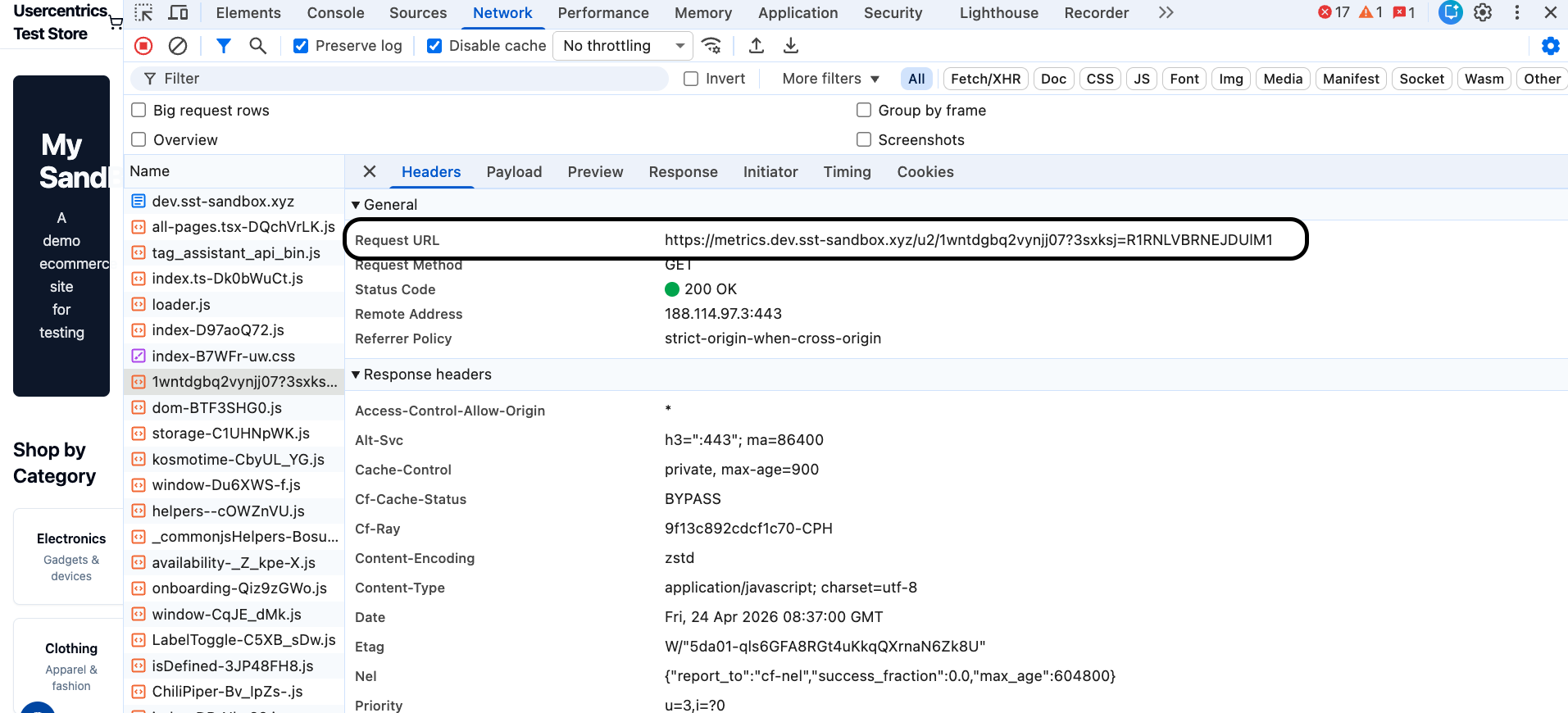
- Open your browser's developer tools. Select the Network tab and reload the page.
- Instead of filtering for
gtm.js, search for your sGTM subdomain (e.gmetrics.yourdomain.com). You should see the GTM container script loading from your subdomain with an obfuscated path.gtm.jswill no longer appear as a recognizable request name, which confirms the resilient loader is working. - Once you have done this, open preview mode for your web container to verify that tags load and fire as expected.
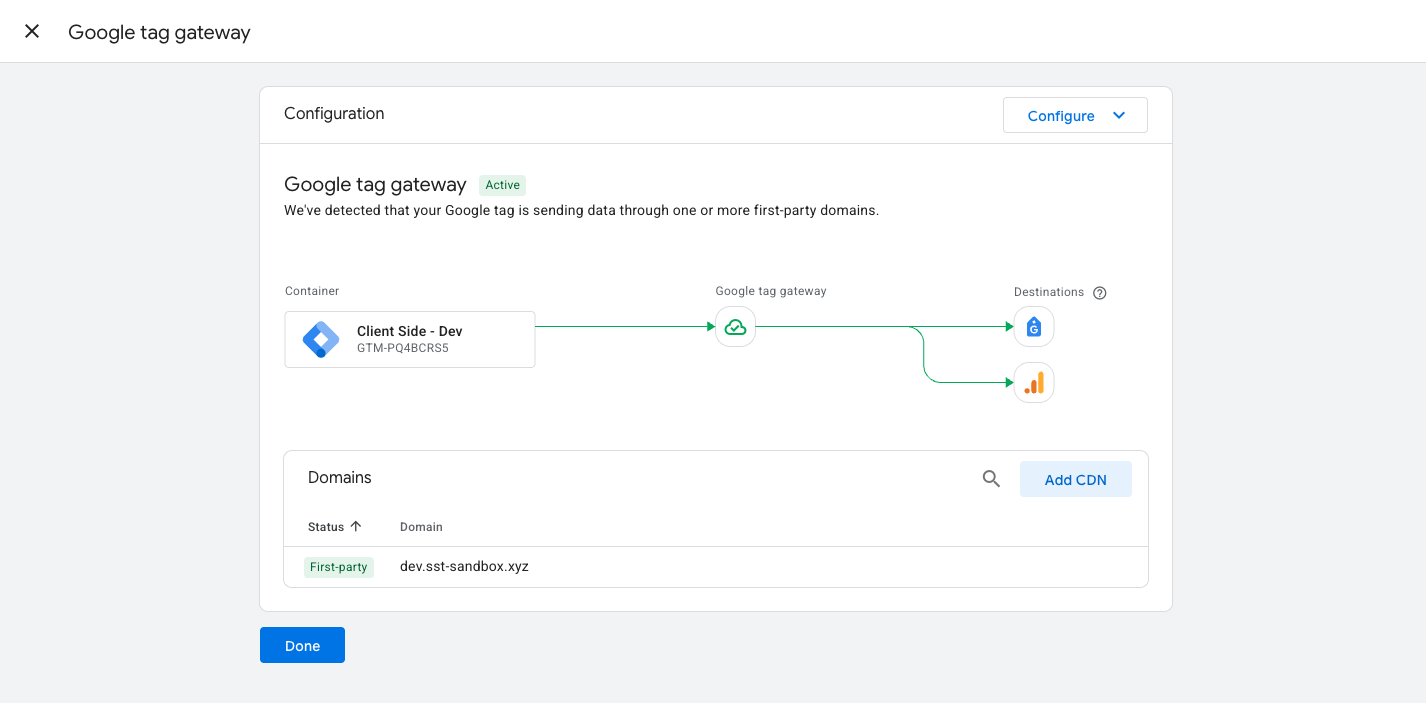
This configuration enables Google Tag Gateway as you are loading your Google Tag Manager container from your own subdomain.
Compatibility with the tag serving path
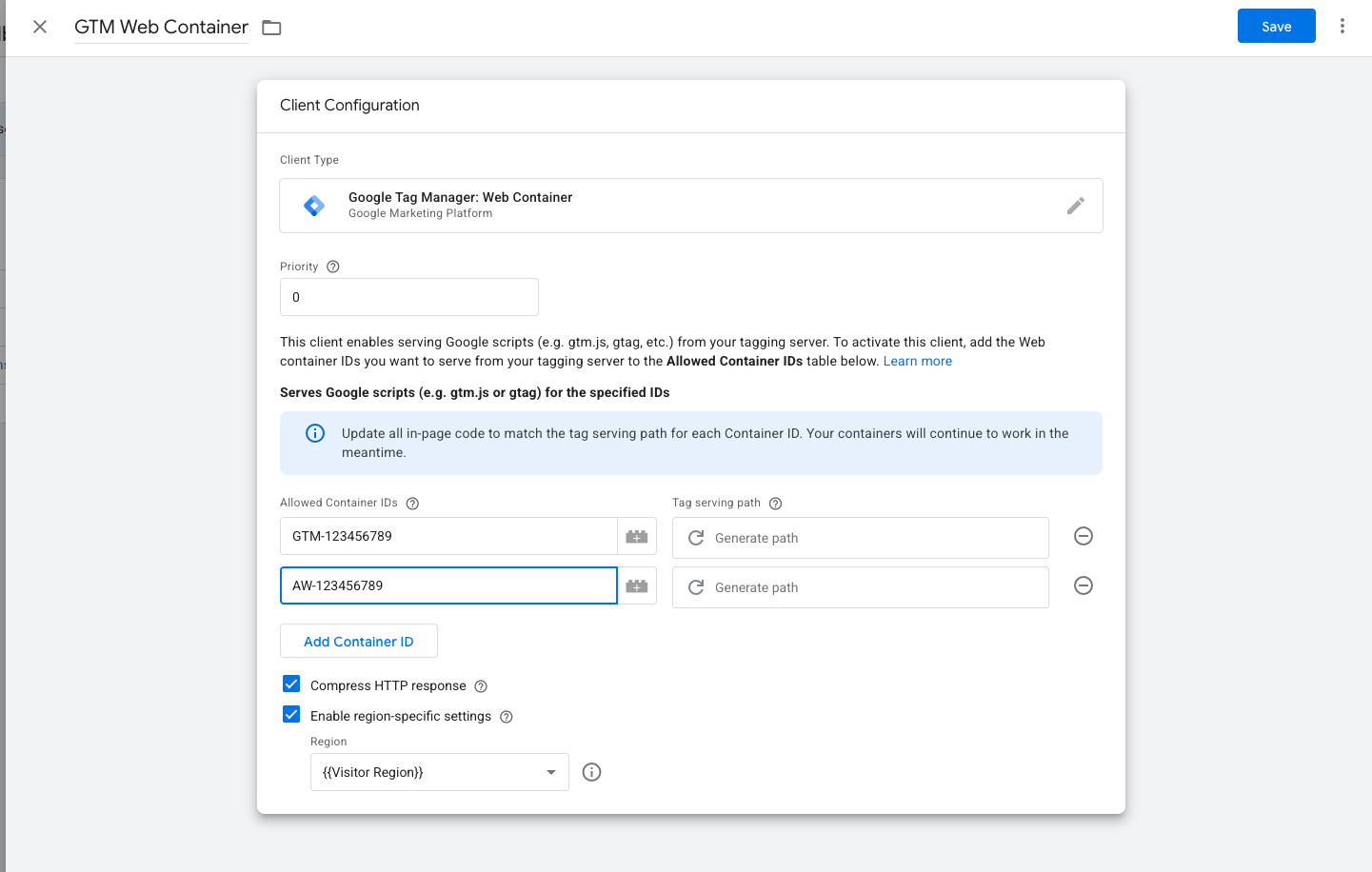
Server-side Google Tag Manager recently introduced the tag serving path. If you want to implement the Usercentrics resilient loader, you can leave the Tag serving path field blank, as the resilient loader offers an alternative way to load the gtm.js script.
Make sure to include all relevant IDs in the Allowed Container IDs list, such as your GTM ID, GA4 Measurement IDs, Google Ads Conversion IDs, and Floodlight Conversion IDs. This is necessary because, as all Google JS libraries, are loaded via the Web Container Client. Any script served through your first-party domain must therefore be explicitly listed here, otherwise requests for those libraries will not be proxied through your server.