Smart Platform
Some of our features for sGTM hosting are offered through the Smart Platform.
The Smart Platform uses the Cloudflare global network, which means that data sent to the container will be first processed by this vendor.
To use these features, your container's custom domain must be set up using the correct configuration, following the instructions from our service's user interface.
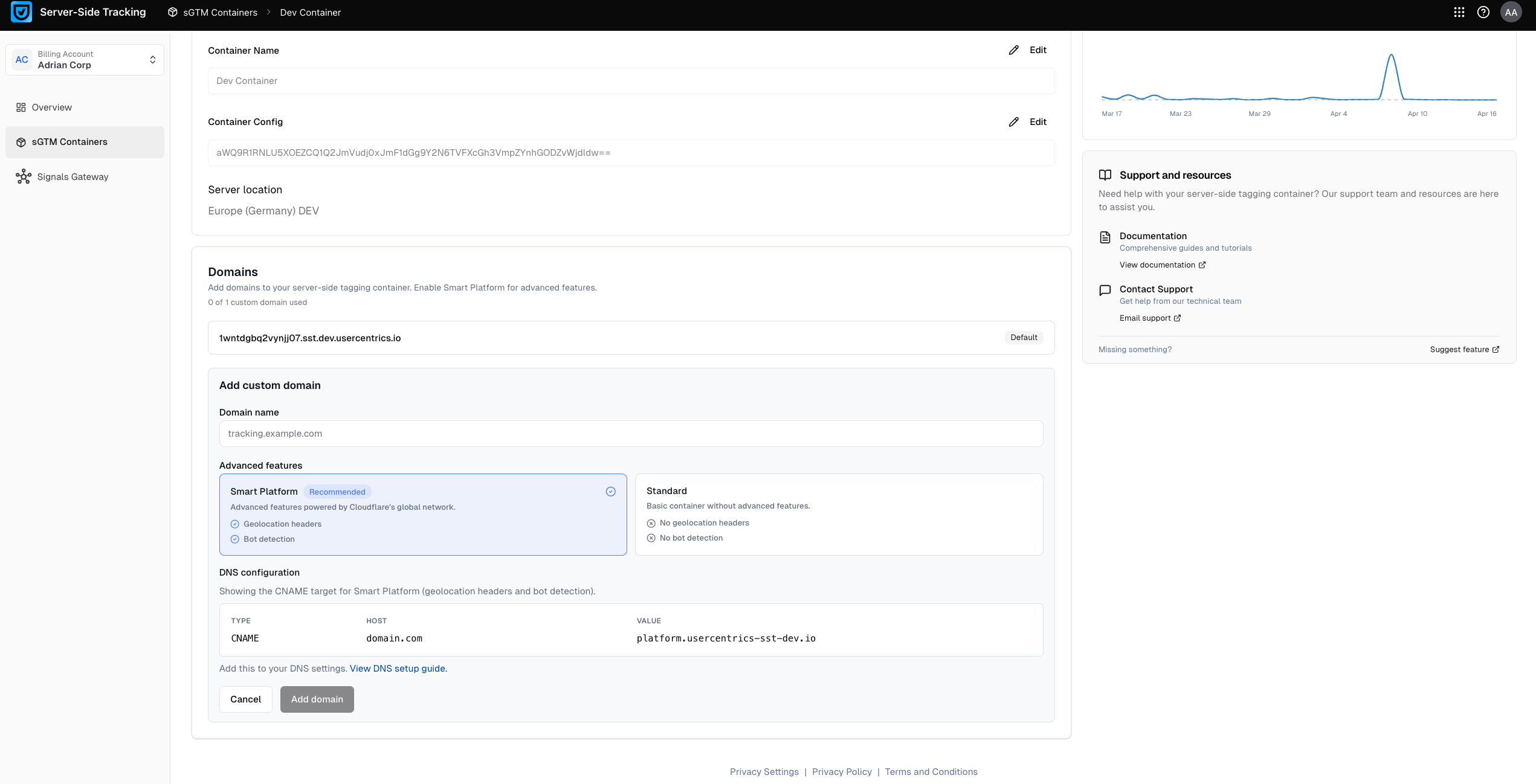
If you prefer not to have data going through this global network, you can set up your custom domain so that data flows only to your selected hosting location. However, Smart Platform features will not be available to your container.
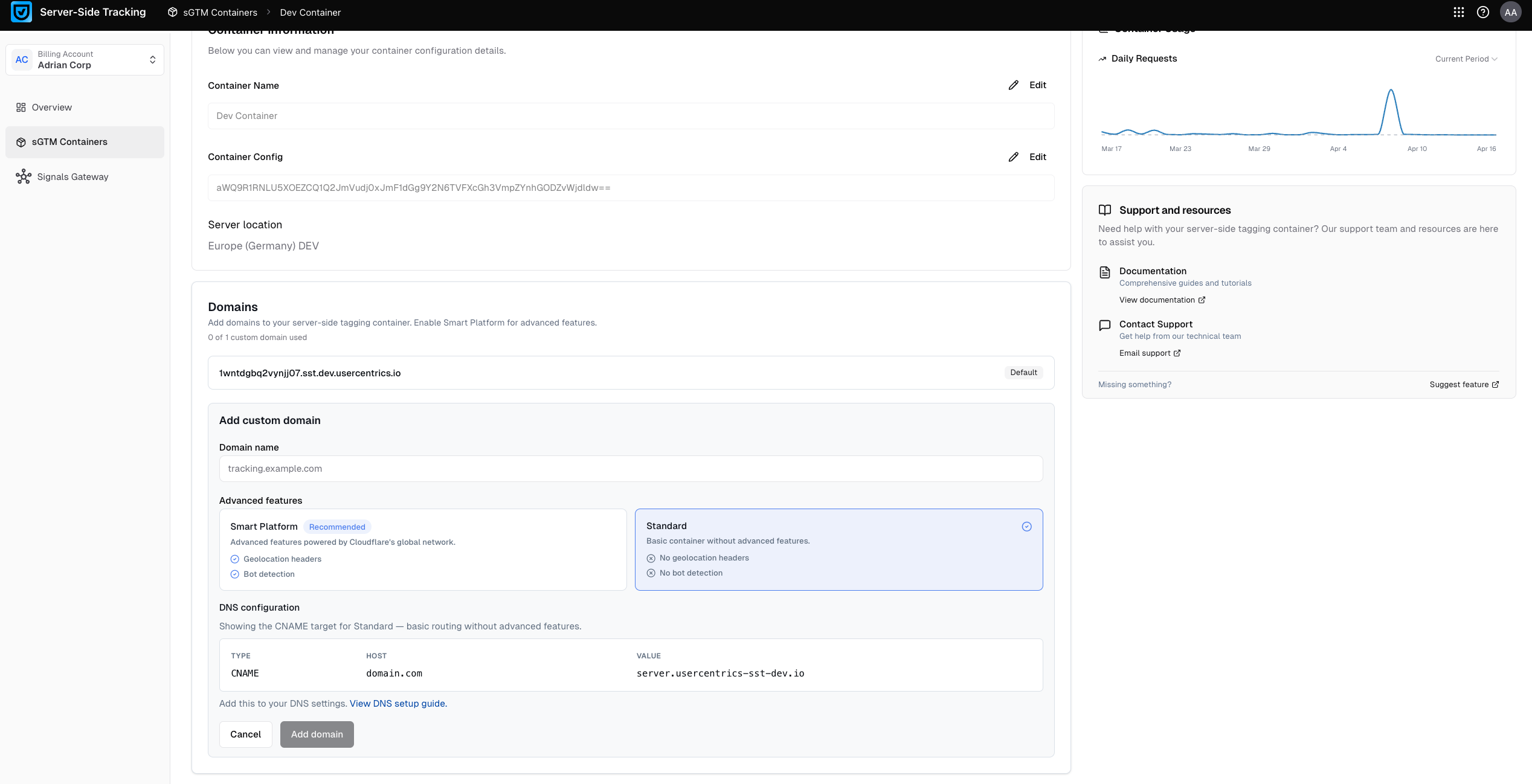
You can decide whether to use the Smart Platform on a per domain basis. This means you can have multiple domains for the same container with different behavior, opting in or out of the Smart Platform for each. This allows you to support different compliance or configuration requirements under the same container.
Usercentrics Server-Side Tracking features that require the Smart Platform
The features offered by the Smart Platform are:
Enabling Smart Platform for a domain
If you are just setting up the domain, make sure that you select the Smart Platform option under Advanced features.
If you want to move an existing domain to Smart Platform, you will have to delete the existing domain configuration and recreate it with Smart Platform. To do so, follow these steps:
-
In Usercentrics Server-Side Tracking, select the sGTM Containers tab on the left menu.
-
Under Your containers, select the sGTM container where you want to use Smart Platform.
-
Select the Settings tab. The configured domains are in the Domains section.
-
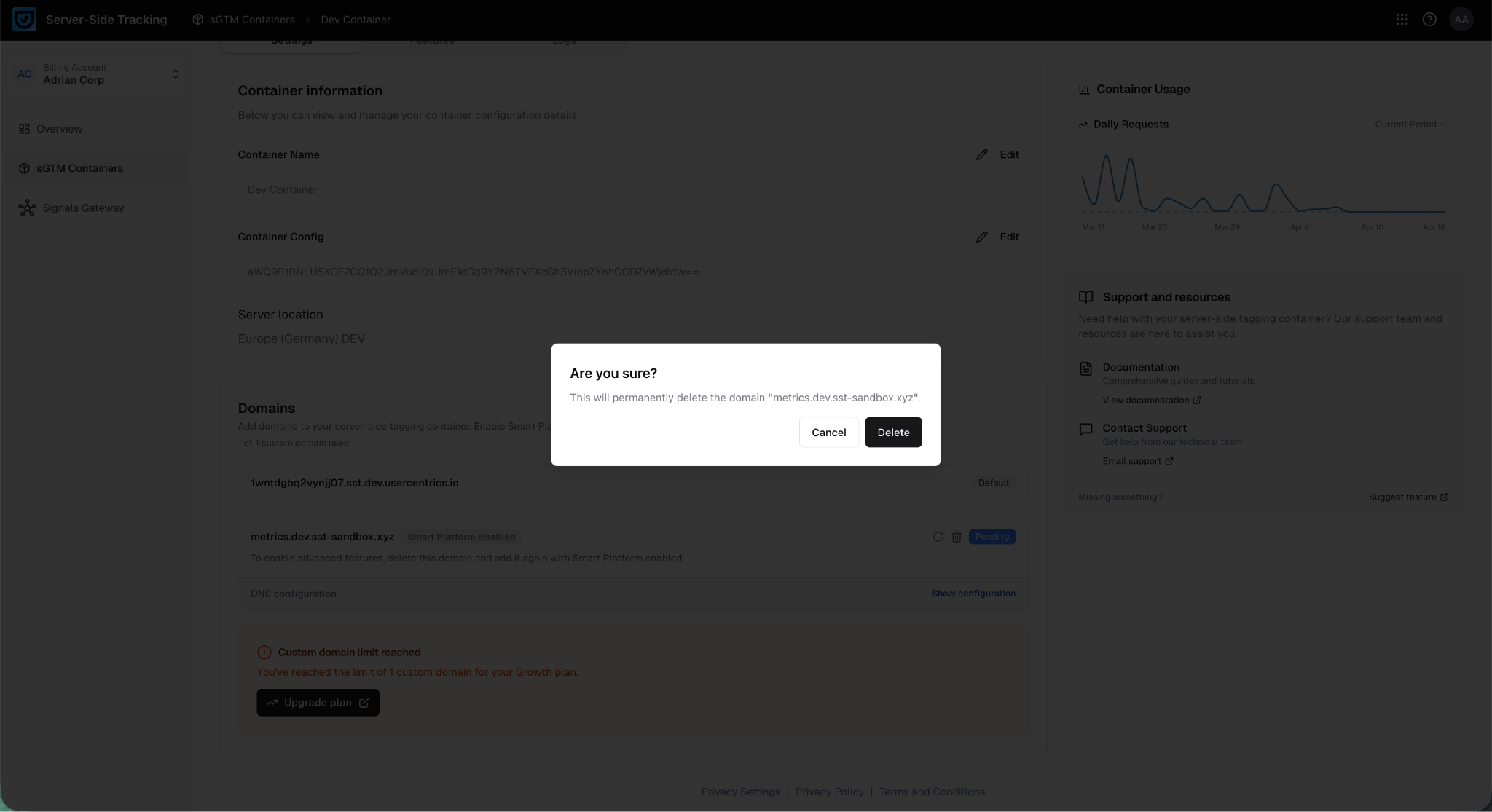
Next to the domain name, confirm that you see the text "Smart Platform disabled".
-
To delete the domain:
-
Use the Delete icon to remove your existing custom domain.
-
Confirm the deletion by clicking Delete on the confirmation popup.
-
-
Add the domain back again:
-
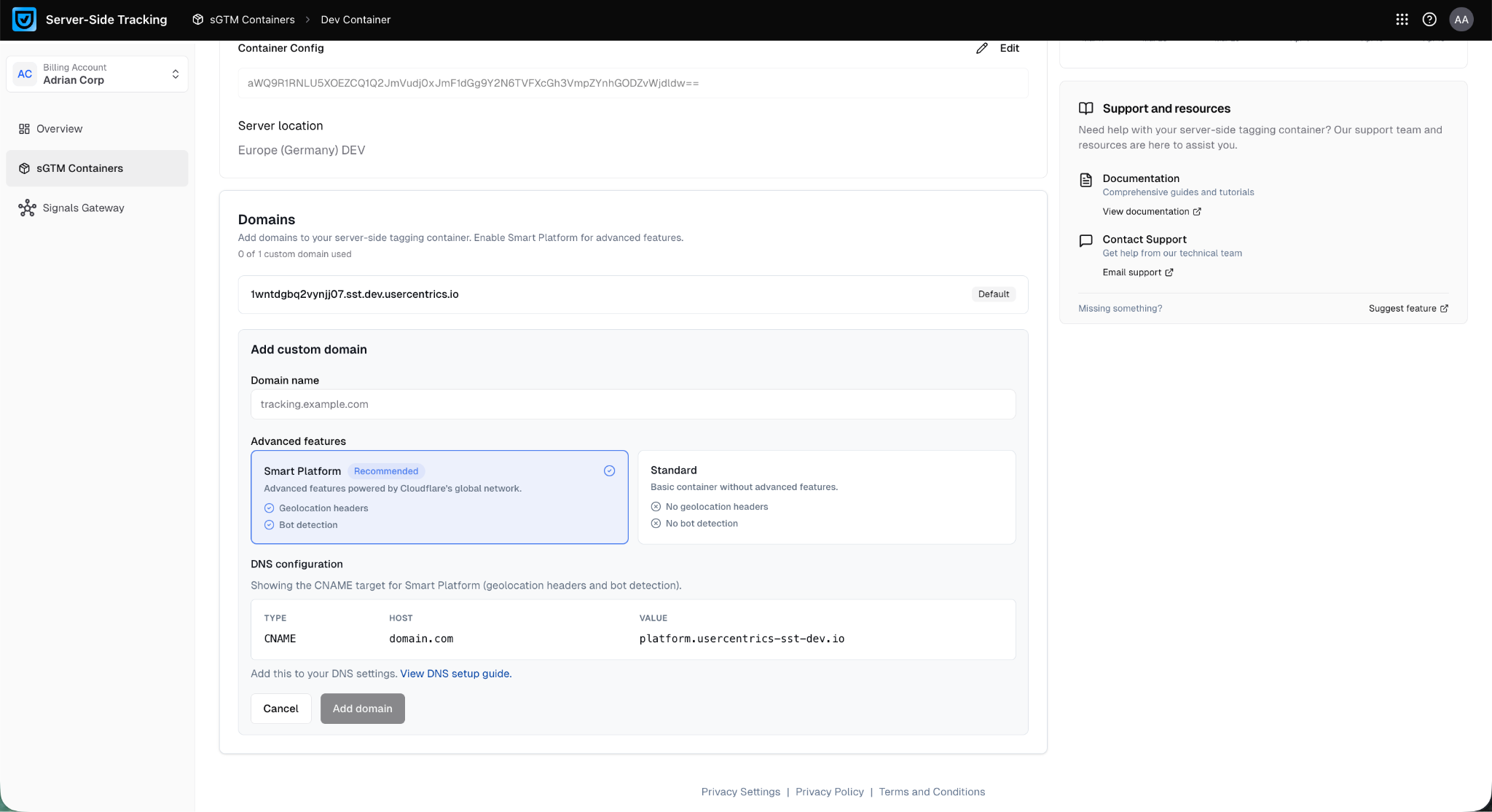
Click Add custom domain to add the domain.
-
Type the domain name. You can use the same domain name as the one you just deleted.
-
Under Advanced features, select Smart Platform.
-
Click Add domain to save the changes.
-
-
In the domain you just added, under DNS configuration select Show configuration.
Update your DNS records with the new values shown in the DNS configuration section. These will differ from your previous setup. -
Wait for the domain to be verified and shown as Active. This can take a couple of hours.