At a Glance
- The CCPA applies to for-profit businesses that do business in California and meet a revenue, data-volume, or data-sale threshold.
- The revenue threshold is USD 26,625,000 in annual gross revenue for the preceding calendar year, and the next inflation adjustment is due in January 2027.
- Consumers must have a way to opt out of the sale or sharing of their personal information, and businesses that sell or share it must treat opt-out preference signals, such as GPC, as valid opt-out requests.
- Businesses must confirm receipt of consumer requests within 10 business days and respond within 45 calendar days, with one possible 45-day extension.
- Penalties reach USD 2,663 per violation and USD 7,988 per intentional violation or violation involving consumers known to be under 16.
- Several changes arrive on January 1, 2027, including ADMT rules, broader deletion rights, and a browser opt-out signal setting. A separate law, CIPA, carries website tracking risk that a CCPA opt-out setup does not address.
Curious how well you know the CCPA? Take our quick quiz down below.
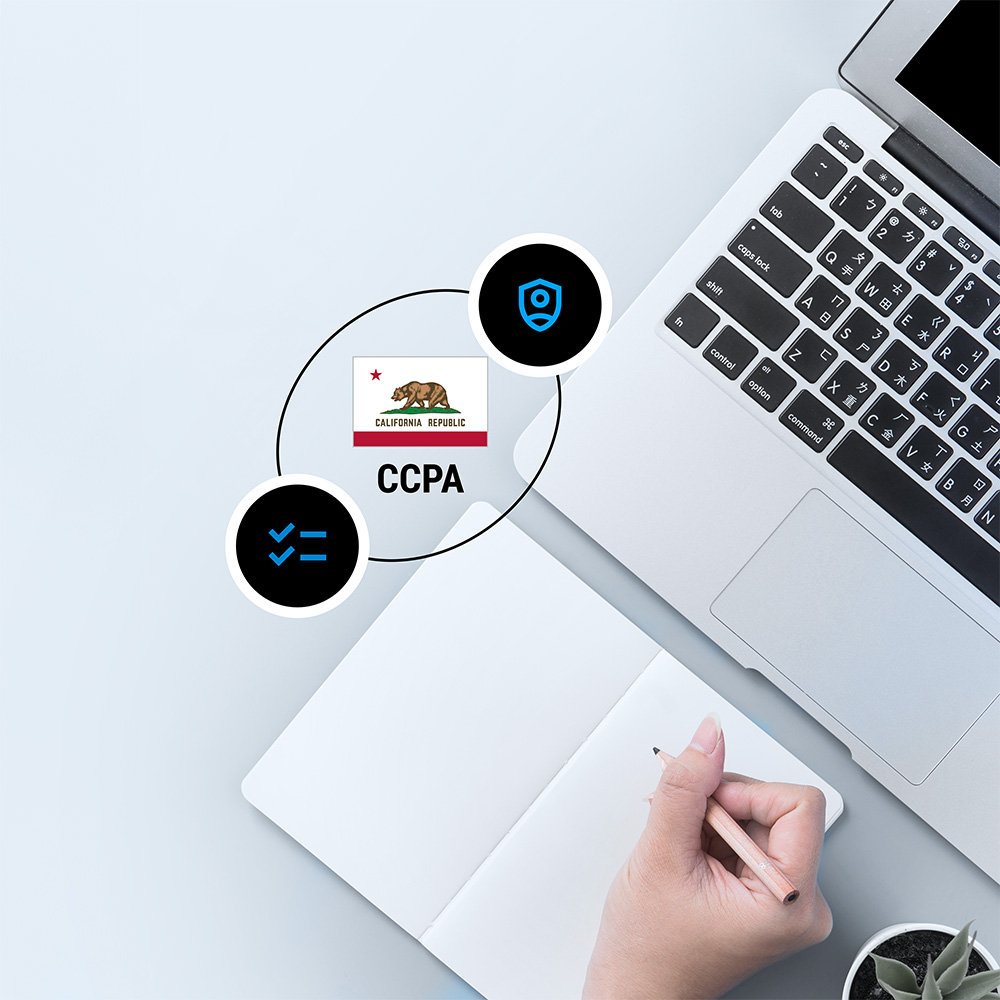
The California Consumer Privacy Act (CCPA) sets the rules for how businesses collect, use, sell, and share the personal information of California residents.
Under the CCPA, as amended by the California Privacy Rights Act (CPRA), consumers have more control over their personal information and how businesses handle it. Failing to meet these requirements can result in hefty fines and penalties.
Meeting CCPA requirements takes a clear understanding of the law and its regulations. To help your website meet CCPA and CPRA requirements, we’ve compiled this checklist.
Who Needs to Comply with the CCPA?
The CCPA applies to all for-profit organizations that do business in California, and that meet any of the following criteria:
- They buy, sell, or share the personal information of 100,000 or more California consumers or households every year.
- Their annual gross revenue from the preceding calendar year exceeds USD 26,625,000. The California Privacy Protection Agency (CPPA) adjusts this amount for inflation every two years, and the next adjustment is due in January 2027.
- At least 50 percent of their annual revenue comes from selling or sharing California residents’ personal data.
If any of these criteria apply to your business, violations can lead to fines of up to USD 2,663 per violation, or USD 7,988 per intentional violation or violation involving the personal information of consumers the business knows are under 16.
Use our CCPA compliance checklist steps below to review your website against CCPA requirements.
How Does the CCPA Define Personal Information?
As described on the California Attorney General’s website, the CCPA defines two main categories of personal data: personal information and sensitive personal information.
Personal Information
This includes data that identifies, relates to, describes, or can be associated with an individual or their household:
- Name
- Social Security number
- Email address
- Records of products purchased
- Internet browsing history
- Geolocation data
- Fingerprints
- Any other information reflecting an individual’s preferences and characteristics
Sensitive Personal Information
This is personal information that reveals specific high-risk details about a consumer. It carries additional protections, including the right to limit its use. Examples include:
- Account log-in details
- Financial accounts
- Debit or credit card numbers and security codes
- Passwords and credentials allowing access to an account
- Precise geolocation
- Content of private mail, email, and text messages
- Biometric information that can identify a consumer
- Genetic data
- A consumer’s health information
- Information about sex life or sexual orientation
- Racial or ethnic origin, citizenship or immigration status, religious or philosophical beliefs, or union membership
- Neural data
CCPA and CPRA Compliance Checklist
What does your website need to help meet CCPA and CPRA requirements? Work through the eight steps below to get started.
1. Develop a Comprehensive Data Privacy Policy
A privacy policy explains how your company collects, uses, shares, and safeguards the personal information of customers and prospects who interact with your website. It informs customers of their data privacy rights and helps build trust by demonstrating your to commitment to data privacy requirements.
The CCPA requires businesses to be transparent about the personal information they collect. A privacy policy that meets CCPA requirements must include the following:
- Categories of personal information collected and processed
- Purposes for collecting and processing this information
- How you collect and process this information, for example, through trackers in the browser
- How personal information is used, for example, for advertising or analytics
- How the information may be shared with third parties
- How long each category of personal information is kept, or the criteria used to decide
- How individuals can request access to, correction of, transfer of, or deletion of their personal data
- How you verify the identity of individuals who submit requests
Since the CPRA amendments took effect on January 1, 2023, a privacy policy should also include:
- A list of the categories of personal data collected that are classified as sensitive, if applicable
- A statement that customers have the right to correct inaccurate personal information
- How consumers can opt out of the sale or sharing of their personal information, including through a “Do Not Sell or Share My Personal Information” link
2. Disclose How Your Customers’ Data Is Used
If you sell or share personal information about California consumers, you must tell them before their data is sold or shared with third parties, and you must give them a way to opt out. A consent banner that appears when they visit your site can help you provide this notice.
The first consent banner requirement is that it should be easily noticeable and accessible on your website. Suitable locations or points in the user flow include:
- First point of contact, such as your landing pages or home page
- As part of a registration or signup process
- During the checkout process
- In the site’s header or footer
When informing visitors how their data is used in a consent banner, follow these guidelines:
- Clearly explain what data is collected, why it is used, and who it may be shared with.
- State why you collect their data, such as improving the visitor experience, personalizing content, targeting advertising, or other business purposes.
- Specify the types of data collected, such as personal information (for example, name, email address, or IP address) and browsing behavior collected through cookies or other tracking technologies.
- Provide equally accessible options to accept or decline consent requests, where relevant, and a way to opt out. Under the CCPA, consumers can opt out of the sale or sharing of their personal information and can limit the use and disclosure of their sensitive personal information, for example, through a link titled “Limit the Use of My Sensitive Personal Information.”
3. Collect and Store Consent and Opt-Out Choices
The CCPA does not require businesses to obtain consent before collecting personal information, or before selling or sharing it, unless the business knows the consumer is under 16. Businesses must, however, enable people to opt out of the sale or sharing of their personal information at any time.
Businesses that use sensitive personal information beyond what is necessary to provide the goods or services a consumer reasonably expects must also let consumers limit that use.
Here are some best practices to collect and store consent data securely:
- Use clear mechanisms to collect consent, such as a consent banner on your website.
- Obtain opt-in consent before selling or sharing the personal information of anyone you know is under 16: from the consumer if they are 13 to 15, and from a parent or guardian if they are under 13.
- Give visitors granular information and consent options so they can choose which types of data they are willing to share.
- Enable visitors and customers to revisit their consent preferences and to update or withdraw consent at any time.
- Understand the difference between personal information and sensitive personal information, what the requirements are for each, and how each must be handled.
Businesses that sell or share personal information must also treat opt-out preference signals, such as Global Privacy Control (GPC), as valid opt-out requests. These signals let visitors set their preferences once in their browser and have them applied on every site they visit.
Since January 1, 2026, businesses must also show visitors that the signal was processed, for example, with an “Opt-Out Request Honored” message. From January 1, 2027, browsers serving California residents must offer a built-in opt-out signal setting under AB 566, the California Opt Me Out Act, so businesses can expect to receive more signals.
4. Securely Maintain Customer Records
Businesses must protect personal information with reasonable security measures, and they must keep records of consumer requests and their responses for at least 24 months. Storing consent and opt-out records securely alongside this data is good practice.
Consent records should also be accessible when visitors change their preferences or opt out of the sale or sharing of their data, when consumers exercise their rights through a request, and during an investigation or audit by the California Privacy Protection Agency (CPPA, publicly known as CalPrivacy) or the California Attorney General.
A consent management platform (CMP) helps businesses collect, update, and securely store visitors’ consent and opt-out choices, and present the information California law requires, such as the types of data collected and the purposes of use.
5. Include a Clear “Do Not Sell or Share My Personal Information” Link on Your Website Homepage
A key requirement of the CCPA involves enabling website visitors to opt out of the sale of their data to, or sharing with, third-party vendors if they wish to.
In most cases, you do not need to ask customers to opt in before you collect, sell, or share their personal data, unless you know the consumer is under 16. You must, however, always give consumers a way to opt out of the sale or sharing of their personal information.
That is the purpose of a “Do Not Sell or Share My Personal Information” link, or a “Limit the Use of My Sensitive Personal Information” link for sensitive information. It directs individuals to a page where they can exercise their rights to opt out or access additional privacy information or controls.
California law also lets a business post a single Alternative Opt-out Link in place of the two separate links, or omit the links if it processes opt-out preference signals without friction and meets the conditions in the regulations. A business that posts the links must still honor opt-out preference signals.
Consider using a CMP to add this link and other required privacy information to the footer, privacy policy, and consent banners on your website.
With Usercentrics CMP, you can customize the banner to match your branding or start from a template, adjusting colors, fonts, logos, links, buttons, and more. Monitor banner performance with the Analytics Dashboard and A/B Testing to see how visitors interact with it and refine the experience.
6. Make It Easy for Consumers to Contact You
The CCPA requires businesses to give consumers designated methods for submitting requests, such as a web form or email address, and to make those methods easy to find on your website. Clear contact options also help build trust with visitors.
Businesses are also required to have a process to receive and respond to consumer requests and to keep records of requests and responses for at least 24 months. Businesses that handle large volumes of requests may find that automating this process is practical.
The CCPA grants California residents the right to:
- Know what personal information a business has collected about them, and access it
- Correct inaccurate personal information
- Receive a copy of their data in a portable format (data portability)
- Delete personal information a business holds about them, subject to exceptions. From January 1, 2027, this includes data the business obtained from third parties.
- Opt out of the sale or sharing of their personal information
- Limit the use and disclosure of their sensitive personal information
- Receive information about, and in many cases opt out of, the use of automated decisionmaking technology (ADMT) for significant decisions, once those rules apply on January 1, 2027
- Not face retaliation or discrimination for exercising their rights
Businesses must confirm receipt of a request to know, delete, or correct within 10 business days and respond within 45 calendar days. That period can be extended once by up to 45 more days when reasonably necessary, if the consumer is notified within the first 45 days. Requests to opt out of the sale or sharing of personal information must be honored as soon as feasibly possible, and no later than 15 business days after the request is received.
7. Set Up an Identity Verification Process for Consumer Requests
If a business cannot verify the consumer’s identity to an appropriate degree of certainty, it can deny the request. However, you must inform the consumer and explain why the request could not reasonably be verified or fulfilled.
Consumers need reasonable means of verifying their identities, for example, by attaching documents to a contact form. Businesses must not require identity verification for requests to opt out of the sale or sharing of personal information or to limit the use of sensitive personal information.
Make sure your privacy policy explains the identity verification requirements, how to submit requests, how personal data is collected, and consumers’ right to opt out of its sale or sharing.
8. Make Data Privacy an Ongoing, Company-Wide Operation
Beyond the website functions and documentation needed to meet CCPA requirements, and the people who manage them, data privacy should involve everyone in the company.
Employees in many departments, from IT and marketing to legal, sales, and support, need to access and use personal data collected from individuals, and should be trained to do so using security and privacy best practices.
Information about data privacy regulation requirements and how they specifically affect your business should be easily available, and it’s recommended to appoint a data privacy or protection officer to oversee privacy operations, enforce best practices, and oversee any issues, like in the case of a complaint or data breach.
Non-compliance with data privacy regulations like the EU’s GDPR and CCPA can lead to fines and other penalties. It can also disrupt operations and damage your reputation and the trust of customers and prospects, which can affect revenue over time.
What Is Changing for CCPA Compliance in 2026 and 2027?
California’s updated CCPA regulations took effect on January 1, 2026, and several requirements phase in over the following years. Businesses should plan for these dates:
- January 1, 2026: The updated regulations take effect, including the requirement to show visitors that an opt-out preference signal was processed and risk assessment duties for new high-risk processing.
- January 1, 2027: ADMT requirements apply to businesses that use ADMT to make significant decisions, and browsers must offer a built-in opt-out preference signal setting under AB 566. SB 923 also extends the deletion right to personal information a business obtains from third parties, and certain online-only businesses must offer a webform or similar way to submit requests.
- April 1, 2028: Risk assessment attestations and summaries are due to CalPrivacy, and businesses required to complete cybersecurity audits begin submitting certifications in phases, starting with those with more than USD 100 million in 2026 revenue.
CalPrivacy is also considering further changes to its opt-out preference signal rules, so check the CalPrivacy website for updates.
How Does CIPA Differ From the CCPA?
The California Invasion of Privacy Act (CIPA) is a separate law, and a working CCPA opt-out setup does not address claims under it. CIPA claims typically target cookies, pixels, and session replay tools that run on a website before a visitor has given consent.
Governor Newsom signed SB 690 on September 30, 2026. From January 1, 2027, only the California Attorney General can bring civil claims over website and app conduct under CIPA’s pen register provision. SB 690 leaves CIPA’s wiretapping and eavesdropping provisions in place, so websites with California visitors can still face claims under them.
Many businesses respond by blocking non-essential trackers for California visitors until they opt in. The Usercentrics CIPA and VPPA Consent Template applies this kind of opt-in configuration within Usercentrics Web CMP.
CCPA Compliance Quiz
Test your understanding of the California Consumer Privacy Act and CPRA obligations.
Which of the following triggers CCPA compliance obligations for a for-profit business in California?
Correct answer B: The CCPA applies to for-profit organizations operating in California that collect residents' personal information and meet at least one of the following thresholds: annual gross revenue exceeding USD 26,625,000 (adjusted every other year for inflation); personal information of 100,000 or more consumers or households bought, sold, received, or shared; more than 50% of annual revenue derived from selling California residents' personal information.
Under the CCPA, what must businesses provide to allow consumers to opt out of the sale or sharing of their personal data?
Correct answer B: The CCPA requires organizations to provide two notices: a privacy policy and a notice at collection, delivered at or before the point of data collection. Organizations that sell consumers' personal information must also include a "Do Not Sell or Share My Personal Information" opt-out link. This should appear in the website footer (accessible from all pages) and on any pages where consumers submit personal information, such as checkout or newsletter signup.
Which of the following is classified as sensitive personal information under the CCPA?
Correct answer D: Under the CCPA, sensitive personal information is data that could cause harm if exposed or misused (discrimination, identity theft, etc.) This includes precise geolocation and other categories like government identifiers, financial account details, religious beliefs, or immigration status. Consumers have the right to limit the use and disclosure of their sensitive personal information. If you collect it, you must provide a clear, conspicuous opt-out link with the exact wording: "Limit the Use of My Sensitive Personal Information."
Within how many days must businesses respond to a verifiable consumer data request under the CCPA?
Correct answer C: If a consumer makes a verified request to exercise one of their rights under the CCPA, an organization has 45 days to respond. If there are extenuating circumstances preventing fulfilment of the request within that time, the organization may seek an extension of an additional 45 days under certain circumstances, with required notification.
Under the CCPA, how must businesses treat a Global Privacy Control (GPC) signal sent from a visitor's browser?
Correct answer A: The CCPA is one of several state laws that require organizations to honor opt-out signals. The law references the Global Privacy Control (GPC) by name as a valid opt-out of the sale or sharing of personal information. As of January 1, 2027, under the California Opt Me Out Act, which amends the CCPA, all browser developers operating in California must include built-in GPC opt-out functionality.
Which of the following is NOT a right granted to California residents under the CCPA/CPRA?
Correct answer D: The CCPA grants California residents the right to access their personal information, opt out of sharing or sale, correct, delete, port in a usable format, restrict use of sensitive personal information, require explicit prior parental or guardian consent for sharing or sales of minors' personal information, not be discriminated against for exercising rights, and access information about the use of automated decision-making technology and opt out of its use.
Using a Consent Management Platform to Support Ongoing Compliance
A CMP supports CCPA compliance by collecting, storing, and managing visitors’ consent and opt-out choices. With a CMP, you can:
- Customize the design and layout of consent banners to match your website’s look and feel
- Present visitors with clear and granular consent and opt-out options, including the option to revoke consent or adjust their privacy settings
- Connect with third-party services, such as analytics platforms or advertising networks, to consolidate visitors’ consent data across tools and platforms
How Usercentrics Supports CCPA Privacy Compliance
A CCPA checklist only holds up if your banner, opt-out links, and consent records keep pace with your website and with California’s changing rules. Usercentrics Web CMP and Usercentrics App CMP help your team put the steps above into practice, and are trusted by 2.4 million websites and applications. Here is where they fit:
- Opt-out options visitors can find (steps 2 and 5): Customize your banner to match your branding or start from a template, so the notice and opt-out choices appear where visitors expect them.
- GPC support (step 3): Usercentrics respects the Global Privacy Control signal, so a visitor’s browser-level opt-out choice carries through to your site.
- Records you can retrieve (step 4): Consent and opt-out choices are stored, so they are available when a visitor changes preferences, a consumer submits a request, or a regulator asks.
- Visibility into visitor choices: The Analytics Dashboard and A/B Testing show how visitors interact with your banner, so you can refine it over time.
- California tracking risk (CIPA): The Usercentrics CIPA Consent Template applies an opt-in configuration for California visitors within Web CMP, blocking covered trackers until a visitor consents, with no custom development required.
- Mobile apps: Usercentrics App CMP extends consent collection to your apps, so mobile traffic is not left outside your privacy setup.
Usercentrics helps you support these obligations but does not replace ongoing monitoring and legal review of your own data practices.
Usercentrics does not provide legal advice, and information is provided for educational purposes only. We always recommend engaging qualified legal counsel or privacy specialists regarding data privacy and protection issues and operations.

Join our growing community of data privacy enthusiasts now. Subscribe to the Usercentrics newsletter and get the latest updates right in your inbox.