

Tracking cookies power many of the personalized web experiences that consumers expect. These cookies remember preferences, enable targeted advertising, and help marketers understand how visitors interact with their sites.
But tracking cookies also collect significant amounts of user data, which means privacy regulations apply. If you have one or multiple corporate digital properties, it’s important to understand how tracking cookies work and what privacy compliance requires.
At a glance
- Tracking cookies collect user behavior data across websites, unlike essential cookies that only support basic site and user experience functions.
- First-party tracking cookies gather data on your site, while third-party cookies follow users across multiple domains.
- The GDPR requires explicit consent before setting non-essential tracking cookies. The CCPA requires easy access to opt out of data sales or sharing.
- You can audit your site to discover which cookies and trackers are active and ensure proper control and consent mechanisms.
What are tracking cookies?
Tracking cookies are small data files stored on a user’s device that monitor browsing activity over time. Unlike essential cookies that simply keep a website functional, tracking cookies build profiles of user behavior across browsing sessions.
Tracking cookies can be both first-party and third-party, depending on who sets the cookie.
First-party tracking cookies are set by your domain and collect data on your site. Third-party tracking cookies are set by external, third-party services and can follow users across multiple websites. Both track behavior, but the cross-site profiles that third-party cookies create make them valuable for advertisers, which is why they are of concern to privacy advocates.
What’s the difference between essential cookies and web tracking cookies?
Essential cookies are necessary for basic site operations. They maintain login sessions, remember language preferences, and keep items in shopping carts. These don’t track behavior over time and typically don’t require consent.
Web tracking cookies go beyond functionality. They monitor which pages users visit, how long they stay, what they click, and how they navigate across sessions. This data enables personalization and targeted advertising, but it also means these cookies fall under stricter regulatory requirements.
Types of tracking cookies
Different types of tracking cookies serve different purposes across your website and for your advertising efforts. Below are the most common types and their categories.
Advertising cookies
These personalize the ads users see based on their browsing history. They also measure campaign performance by tracking which ads led to conversions. When someone sees an ad for a product they viewed on your site, advertising cookies made that happen.
Analytics cookies
These track pageviews, session length, bounce rate, and user paths through your site. They help you understand what content performs well and where visitors lose interest. These web page tracking cookies power platforms like Google Analytics.
Social media cookies
These enable sharing features and track how users interact with social content on your site. They allow platforms like Facebook and LinkedIn to serve targeted ads based on activity across their network.

Affiliate cookies
These attribute conversions or referrals to specific partners. When a user clicks through from an affiliate site, these cookies ensure the affiliate gets credit for any resulting purchase.
Fingerprinting and probabilistic tracking
This involves techniques that identify users through unique combinations of browser settings, device characteristics, and behavior patterns. While technically not cookies, they raise similar privacy concerns.
How do tracking cookies work?
Tracking cookies are small pieces of data that websites place in a user’s browser to recognize and remember them. When someone visits your site, a tracking code adds a cookie with a unique identifier.
This usually happens through a combination of scripts, HTTP headers, and third-party pixels embedded in your site. This identifier allows your site, or third-party services, to recognize the user on future visits and collect information about their activity.
For example, when a user lands on your site, your server can send a cookie through HTTP headers. Or JavaScript running on the page can create a cookie in the user’s browser.
Third-party pixels, which are tiny, invisible images or scripts from external services, can also place cookies to track the user across multiple sites. Each cookie carries a unique identifier that allows the service to link the user’s actions over time.
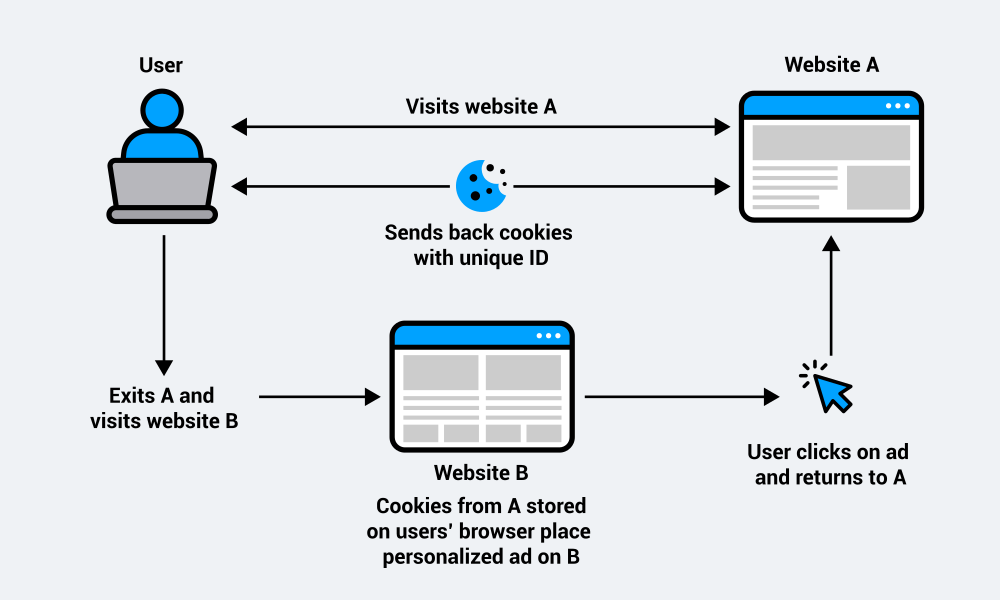
As the visitor navigates your site, the cookie sends information back to the server: which pages they viewed, how long they stayed, and what they clicked. This builds a profile tied to the unique ID, which can be used for analytics, personalized content, or advertising.
First-party cookies stay within your domain. When the user leaves your site, those cookies can’t follow them. But if you use third-party services like advertising networks, those cookies can track users across any site where that third party operates. This cross-site tracking creates detailed browsing profiles.
The difference matters for both functionality and privacy compliance. First-party cookies give you insights into and about your own site. Third-party cookies enable cross-site advertising and attribution, but they also raise bigger privacy concerns and face more regulatory restrictions.
What data do tracking cookies collect?
Tracking cookies collect a range of data and often record your browsing behavior to improve website functionality and personalize ads. Here is what they typically track:
- URLs and pages visited
- Time spent on pages
- Clicks on links and advertisements
- Login data (by first-party cookies) and user preferences
- Device type, operating system, and browser type and version
- Search history and input data in forms
The data is collected to build interest profiles and show you more relevant ads across websites and social platforms.
How long do tracking cookies last?
Tracking cookies persist on a user’s device after the user closes their browser. The exact duration of a tracking cookie depends on the expiration date set by whoever created the cookie.
For instance, analytics cookies might last two years to track long-term behavior patterns. However, advertising cookies often expire after 30 to 90 days, though some persist longer.
The lifespan reflects the cookie’s purpose. Longer durations enable tracking over extended periods, while shorter ones balance tracking capability with privacy concerns.
Users can delete cookies manually through their browser settings, which removes them before their set expiration. Many browsers now also offer settings that automatically clear cookies after each session or block certain types entirely.
Are tracking cookies legal?
The short answer is that tracking cookies are not illegal. However, depending on the type of cookie and the information being collected, their use is governed by regulations and frameworks like the California Consumer Privacy Act (CCPA), the EU’s General Data Protection Regulation (GDPR), and the ePrivacy Directive (also known as the EU cookie law).
The use of tracking cookies without a valid legal basis, such as user consent, can be a regulatory violation of data privacy.
The GDPR and tracking cookies
The GDPR places strict requirements on how organizations use tracking cookies. Any cookie that isn’t essential for a website to function requires transparency and explicit consent. This means companies must clearly explain which cookie categories they use (or ideally which specific cookies), why they use them, how the data may be processed, and who may receive it.
Once visitors are informed through a privacy policy and a cookie banner, they need the opportunity to give consent before any tracking happens. That consent has to be freely given, specific, informed, and unambiguous. Therefore, no pre-ticked boxes, no vague language, and no default opt-ins.
If consent isn’t provided, the data cannot be collected, processed, shared, or sold. The European Court of Justice has made this point explicit: tracking cookies cannot be set until a user has clearly acknowledged and accepted the data collection involved.
Just as importantly, users must be able to withdraw their consent as easily as they gave it. This typically means providing a clearly visible option, such as a Privacy Settings link, where users can revisit and change their choices at any time.
Download your free GDPR consent management checklist to learn more.
The CCPA/CPRA and tracking cookies
The California Consumer Privacy Act (CCPA), now updated by the California Privacy Rights Act (CPRA), regulates how businesses handle personal information of California residents, including data collected through tracking cookies.
If your website processes personal information via cookies from California users, you must clearly inform them about the categories of data you collect and why you collect it.
This notice has to appear at or before the moment the data is gathered, and that includes cookie use. Businesses must outline the categories of information being collected and the purposes for each category, ensuring users know exactly what happens with their data.
The CPRA also expands the definition of “sharing.” In this context, sharing means disclosing personal information for cross-context behavioral advertising, such as targeted ads based on a user’s activity across different sites. Because of this, companies must provide a prominent “Do Not Sell Or Share My Personal Information” link, so users can opt out at any time.
Unlike the GDPR’s opt-in model, the CPRA follows an opt-out approach, so in most cases, organizations do not have to obtain consent before personal data is collected or processed. However, there are important exceptions:
- For children under 13, a parent or guardian must provide prior consent.
- For users between 13 and 16, you need their explicit consent before collecting or selling their information.
- For collecting and processing sensitive personal information, you need to provide a “Limit the Use of My Sensitive Personal Information” link to limit use and disclosure.
Once a user opts out, the business must stop processing their data as quickly as possible, and must honor that choice for at least 12 months before asking whether they’d like to opt back in.
Get support to achieve CCPA compliance with our free compliance checklist.
How to know if your website uses tracking cookies
Knowing whether your website uses tracking cookies is essential for understanding how user data is being collected and used. So, to discover whether your website is using tracking cookies — and which ones — there are a few options.
Most web browsers offer developer tools that enable you to inspect the cookies associated with a website. By opening the browser’s developer console and navigating to the Application or Storage tab, you can view the cookies stored by the website.
However, a simpler alternative is to use Usercentrics’ free cookie scanner that crawls your site and provides a detailed audit report.
You’ll see every cookie categorized by type — essential, functional, and marketing — though once you use the CMP, you can customize these further. You will also see the purpose of each cookie, which domain sets it, and other functions.
This audit report gives you the information you need to make informed privacy compliance-related decisions. By knowing which third-party cookies are on your website and which ones need consent, you can use your list to populate your cookie declaration or privacy policy.
How to make tracking cookies privacy-compliant
Privacy compliance isn’t optional, but it doesn’t have to disrupt your marketing operations. Here’s how to meet regulatory requirements while maintaining the tracking capabilities you need.
Audit your cookies
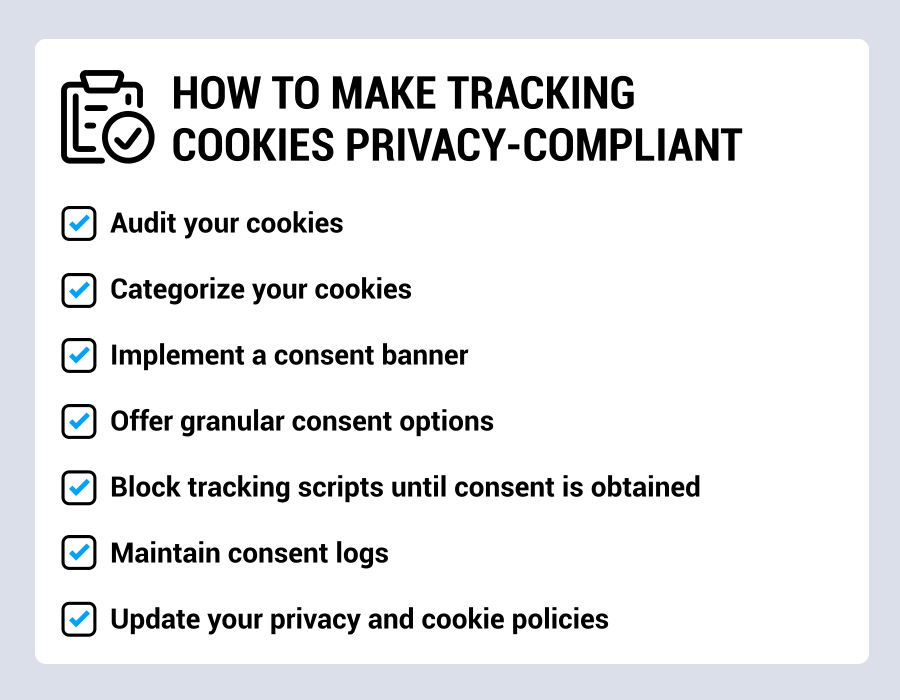
Start with a detailed audit. To kickstart your efforts, use the Usercentrics cookie scanner to identify every cookie your site sets, including those from third-party services. You need to know what’s tracking users before you can make its use privacy-compliant.
Document each cookie’s purpose, duration, the data it collects, and whether it’s first-party or third-party. This information forms the basis of your privacy policy and consent banner.
Categorize your cookies
Sort your cookie tracking into clear categories: essential, analytics, marketing, social media, and any other relevant groups. Essential cookies don’t need consent, but all others do under the GDPR.
Category-based consent enables users to make informed choices. Someone might accept analytics cookies to help you improve the site, while declining marketing cookies. But only clear categorization makes this distinction possible.
Implement a consent banner
Your consent banner must appear before any non-essential tracking cookies are set. This is critical because you can’t track users, then ask permission. The banner needs to appear on the first page load before any tracking scripts are executed.
The banner should explain what cookies you use, link to your detailed privacy policy, and offer clear options to accept or decline. Under the GDPR, you need explicit opt-in consent. Under CCPA, you need a clear and accessible opt-out mechanism, but must still be transparent about what data you’re collecting.
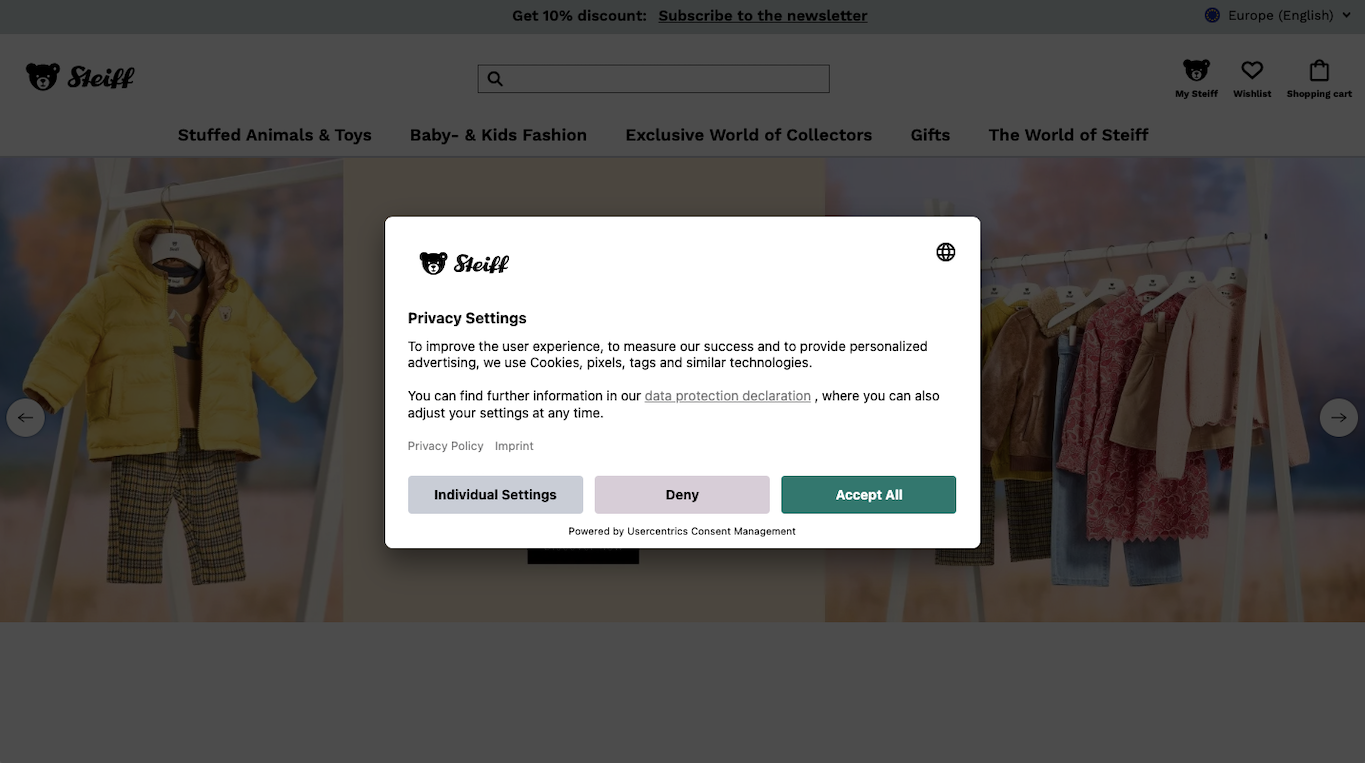
Building this functionality yourself can get complicated. You need to design the banner, block scripts until consent is given, handle different regional rules, log consent decisions for audits, and ensure everything works with your analytics and marketing tools.
A consent management platform (CMP) automates this process. It shows the right consent interface based on where the user is located, blocks non-essential scripts by default, and activates only the categories a user approves. It also keeps up with regulatory changes and adapts when new tracking tools are added.
Offer granular consent options
Users should be able to accept or reject cookies by category. Someone might be okay with analytic cookies, but not advertising. Others might accept everything. Some might reject all non-essential cookies.
Pre-checked boxes don’t count as valid consent under the GDPR. Neither does construing it as consent if someone ignores the consent banner and keeps clicking or scrolling.
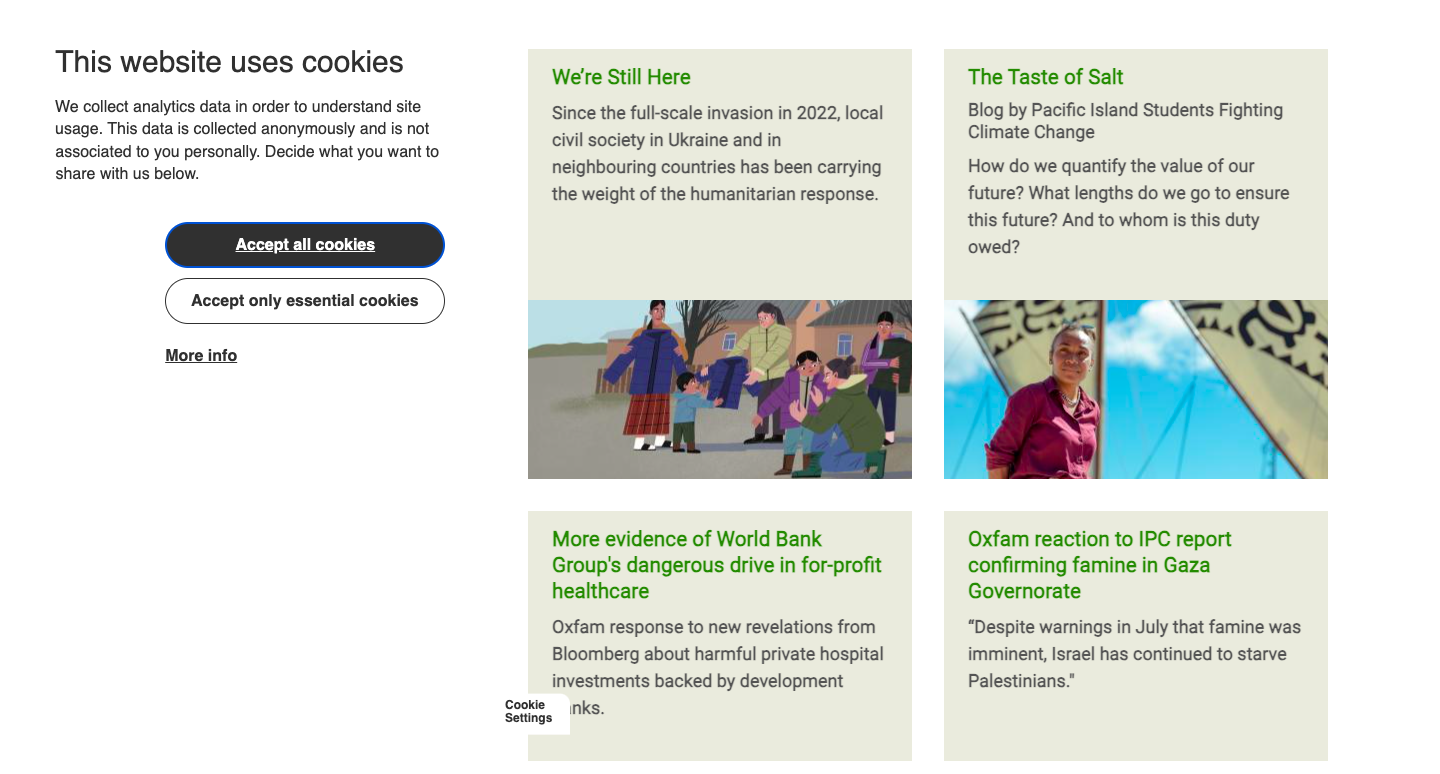
Users must make an active choice, meaning your banner should present equal options, and an “Accept All” button shouldn’t be more prominent than “Reject All” or “Customize” (or be the only option).
Different consent models apply in different jurisdictions. The GDPR requires opt-in: explicit consent before setting cookies. The CCPA requires enabling opt-out: cookies can be set, but users must have an easy way to stop their data being sold or shared. A good consent management platform handles these differences automatically based on user location.
Block tracking scripts until consent is obtained
Technical implementation matters as much as the banner itself. Tracking scripts need to be blocked from firing until a user grants consent. This means wrapping your analytics, advertising, and other tracking code so it only fires once consent is obtained and signaled to these services.
A consent management platform handles this automatically. When integrated properly, it blocks third-party scripts from loading, places a “stub” that prevents cookies from being set, and only activates tracking after consent is granted for specific categories.
Usercentrics CMP has Google Consent Mode, Microsoft UET Consent Mode, and Microsoft Clarity Consent Mode integrated and ready to go by default.
Maintain consent logs
Document every consent record with a time and date stamp, the user’s consent choices by category, the notification and version of your privacy policy they agreed to, and how long you’ll retain their data. Update the record every time they change their preferences.
This log serves as proof of privacy compliance if regulators audit you. It also helps you honor data subject access requests (DSARs). If someone asks what data you’ve collected about them, your consent log shows what they have agreed to.
Building and maintaining this documentation infrastructure takes time. Most CMPs include automated consent logging that stores everything in a centralized location, which simplifies audits and DSARs.
Update your privacy and cookie policies
Your privacy policy needs to list all active cookies, explain what data each collects, state how long they last, identify who has access to the data, and describe how users can decline or withdraw consent.
Write in clear language, not legal jargon. Users should understand exactly what you’re doing with their data. Link to this policy from your consent banner so users can review details before making choices.
Lastly, be sure to keep your website’s policies current. When you add new tracking tools or third-party services, re-scan for new cookies and ensure documentation is updated.
How to block third-party tracking cookie scripts?
Understanding privacy compliance is one thing. Technical enforcement is another. The key requirement is ensuring that tracking scripts don’t run until a user has given consent.
There are a few ways to approach this. One option is to manually add consent checks around each script so they only execute when the right categories are approved. This can work, but it becomes hard to maintain as more tools and pixels are added.
Tag management systems, such as Google Tag Manager, enable you to control when scripts fire based on consent status. You can create triggers that activate only after a user accepts certain cookie categories. However, this still requires careful setup for every tracking tool.
The risk with these manual methods is that something might fire too early. Even one analytics tag loading before consent is received can create privacy compliance issues.
It also becomes more complex when different regions have different rules, such as the GDPR’s opt-in model versus CCPA’s opt-out, or separate compliance requirements for multiple relevant U.S. states.
A CMP simplifies this by blocking non-essential scripts by default. It detects tracking scripts, prevents them from loading until a user has made a choice, and applies the correct rules based on their location.
In practice, the CMP acts as a control layer. If someone agrees to analytics but rejects marketing, only analytics scripts will run. Declined categories remain fully blocked where required. This creates a clear technical separation that regulators expect: tracking only happens after explicit approval.
Most CMPs include integrations with common tools like Google Analytics, Facebook Pixel, and advertising networks. Once the setup is complete, the platform manages consent signals across all your tracking services.
Tracking cookies work when you respect user choice
Data privacy regulations haven’t eliminated tracking cookies. Organizations are just required to ask permission now and respect user choices. This transparency builds trust with your audience while mitigating risk and protecting your business.
Start by understanding what’s currently tracking users on your site. Run a cookie audit to identify every tracker, then implement the technical and legal requirements for valid consent. Users can still accept your tracking cookies, but now they’re making an informed choice.

Join our growing community of data privacy enthusiasts now. Subscribe to the Usercentrics newsletter and get the latest updates right in your inbox.