

15 Google Tag Manager tools for a better workflow
Google Tag Manager (GTM) simplifies how you deploy and manage tracking codes. But working with GTM gets even easier when you also have the right extensions and tools.

If you’re a frequent user of Google Tag Manager, you’re likely always looking for ways to improve your performance, catch bugs faster, and simplify your process. We’ve collected a variety of tools to help you do just that.
Key takeaways
- Why Google Tag Manager (GTM) tools are essential for scalability, accuracy, and privacy compliance
- Organizational Chrome extensions: GTM Sonar, Variable Inspector, GTM Copy Paste
- Debugging and QA tools: Google Tag Assistant, Data Layer Inspector+, Ecommerce Validator
- Documentation and collaboration solutions: GTM Tools by Simo Ahava, Scribe, GTMFixer
- Privacy and compliance integrations: Consent Management Platforms (CMPs), Google Consent Mode
- Server-side tagging advancements: Usercentrics server-side solution, server container managers, performance dashboards
- Best practices: consistent testing routines, audits, layered debugging, and process standardization
Google Tag Manager extensions for setup and organization
A well-organized GTM container is like a clean codebase — it saves you time, prevents mistakes, and better enables collaboration. However, as your GTM implementation expands, maintaining that structure can be a real challenge, especially when an increasing number of teams or team members are involved.
The following extensions help you maintain structure as your GTM implementation evolves. They’re particularly valuable when multiple people work on the same container or when you need to scale your setup across multiple properties.
GTM Sonar Chrome extension
This Google Tag Manager Chrome extension provides a quick visual overview of all tags, triggers, and variables active on any page. The interface displays firing status for each element, shows blocked tags, and identifies potential conflicts between or among different tracking implementations.
It works by scanning the GTM data layer and displaying results in a compact sidebar that doesn’t interfere with normal browsing. This makes it a useful GTM tool for getting to the point and understanding your tag ecosystem quickly. It’s free to use and can be downloaded via the Chrome Web Store.
Variable Inspector for GTM
On dynamic websites, data layer variables can be hard to keep track of. This tag manager extension monitors your data layer variables in real-time, showing current values and tracking changes as they occur.
It offers a straightforward way to troubleshoot issues with dynamic content or personalization rules, simplifying what can otherwise feel like a complex process. Keeping the focus clear and avoiding unnecessary jargon makes data layer management more accessible, and it’s free to use.
GTM Copy Paste
Scaling GTM setups across multiple containers has traditionally meant a lot of manual work. This tool enables the copying and pasting of complete configurations, including all relationships among tags, triggers, and variables. It exports complete tag setups, including dependencies, then allows selective import of specific elements or entire configurations.
This GTM extension simplifies a process that could otherwise be a nightmare and helps you maintain consistency across multiple properties. The tool itself is free, but as with any third-party solution, it’s a good practice to be aware of how GTM updates might affect its performance.
Google Tag debugger and quality assurance tools
Even with perfect organization, tags can break. They often break silently, and in ways that won’t show up in your reports until weeks later, when you notice missing data. The key to maintaining reliable tracking is catching problems before they compound.
Quality assurance tools work best when used proactively rather than reactively. Instead of troubleshooting after discovering broken tracking, these tools help you validate implementations during development and catch edge cases before they reach production.
Google Tag Assistant
The Google Tag Assistant Chrome extension is Google’s official extension, and it’s a go-to for checking your Google tags, like those for Analytics and Tag Manager.
It helps ensure everything is installed correctly and that essential data is present. It’s also useful for flagging common issues, like duplicate tags. Furthermore, it works on any website, is free to use, and doesn’t require access to your GTM container.
The session recording feature, which used to be in a separate Tag Assistant Companion extension, is now part of this main tool. This enables you to record complete user journeys — from page transitions to form submissions — to easily check tag firing sequences.
Learn more about how to use Google Tag Assistant for privacy-friendly tracking.
Data Layer Inspector+
This Google Tag Manager tool gives you a detailed, real-time look at your website’s data layer. It displays the current state of the data and tracks pushes and updates as they happen.
It’s ideal for seeing the complete object hierarchy and making sense of the information being sent to your tags. Many companies find that it makes debugging complex data structures more manageable. Data Layer Inspector+ is also free to use.
E-commerce Validator
When it comes to e-commerce, ensuring your data is structured correctly is critical. While there isn’t one official Google tool for this, an e-commerce validator — which can be a dedicated tool or a function within a broader debugger — checks your enhanced e-commerce implementation against Google Analytics requirements.
It helps you verify that all the required fields are present — like item_id, item_name, and price — which is essential for accurate conversion and revenue reporting.
Documentation and collaboration GTM tools
GTM projects can quickly become complex, especially when multiple teams are involved. One person implements a workaround, someone else modifies it without context, and six months later, nobody remembers why certain triggers exist or what they’re supposed to do.
The solution isn’t just better communication; it’s systematic documentation and change management. The following Google Tag Manager tools create accountability and knowledge sharing that scales with your team and prevents knowledge problems.
GTM Tools by Simo Ahava
This documentation generator analyzes your GTM container and creates detailed reports covering tags, triggers, and variables. It also provides a visualization of how these elements are connected, making it easier to understand the container structure.
This GTM tool includes auditing features that help identify unused elements and areas for cleanup, supporting both documentation and optimization. It’s also free to use.
Scribe
Scribe is a tool that documents complete processes by recording user actions and automatically generating step-by-step guides with annotated screenshots.
It’s useful for creating SOPs, onboarding materials, and training documentation for GTM workflows. The output can be shared with team members to standardize complex processes.
The company offers a free plan, and pricing plans start at USD 12/month.
GTMFixer
This GTM Chrome extension elevates the GTM interface with additional functionality. It adds search and filtering options, highlights tag errors, and introduces workflow improvements that simplify collaboration.
These additions help teams navigate large containers more efficiently and reduce time spent troubleshooting. This extension is free and can be downloaded from the Chrome Web Store.
GTM Copy Paste
This tool enables importing and exporting of entire GTM configurations, including dependencies between elements. It simplifies the process of replicating setups across containers, saving time when scaling or migrating environments.
By automating what is typically a manual process it helps reduce errors and enable consistency across projects. This GTM extension is free and can be downloaded from the Chrome Web Store.
Privacy and compliance tools for Google Tag Manager
Privacy regulations have fundamentally changed how tag management works. You can’t just deploy tracking codes and assume compliance. You need consent management and ongoing monitoring to meet legal requirements.
The challenge isn’t just technical compliance, but balancing legal requirements with business needs. These tools help you implement privacy controls that can help with compliance without undermining your ability to understand user behavior and optimize experiences.
Consent Management Platform
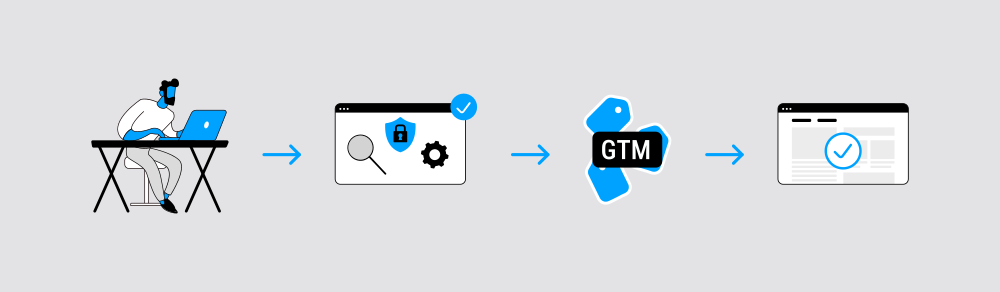
Consent Management Platforms (CMPs) are the user-facing part of the privacy solution, providing the cookie banner and managing the entire consent collection process. Many popular CMPs, like Usercentrics CMPs and Cookiebot CMP, are Gold Tier Google CMPs partners and offer pre-built templates available in the GTM Community Template Gallery.
The CMP connects to GTM by deploying a special tag that sets the default consent status for all other tags on the page. When a user makes a choice, our CMP updates the consent status, which then triggers a GTM event that tells your tags what to do. This allows you to centralize your consent logic and ensure that tags for analytics, advertising, and other purposes only fire when you have a user’s explicit permission.
Google Consent Mode
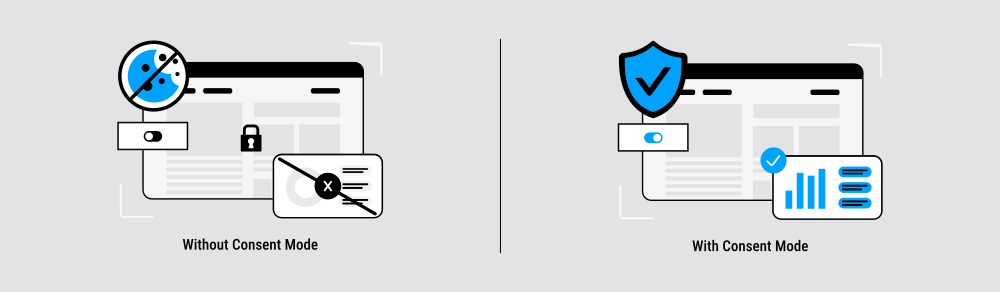
Google Consent Mode is a framework that helps to communicate a user’s cookie consent status to Google’s tags. It’s integrated with the CMP and with GTM.
Consent Mode enables Google tags to automatically adjust their behavior based on consent signals received by the CMP. For example, when a user denies consent, you can configure tags to send anonymous, cookieless pings to support conversion modeling without storing personal data.
It’s a critical component for maintaining some data collection while respecting user privacy.
Learn how to implement Google Consent Mode into your tech stack.
Server-side tagging tools
Server-side GTM represents a significant shift in how tracking works. Instead of loading tags directly in users’ browsers, you process tracking data on your own servers before sending it to analytics platforms. This approach offers better performance, increased privacy control, and more reliable data collection.
The transition to server-side tracking requires new infrastructure and different debugging approaches. These tools help bridge the gap between familiar client-side workflows and the more complex server-side environment.
Usercentrics server-side tagging solution

Usercentrics’ server-side integration helps ensure that consent signals from the browser are consistently passed to the server container and maintained throughout the entire data processing chain.
It synchronizes consent states across multiple endpoints, provides APIs for custom implementations, and includes monitoring to track reliability. With built-in failsafes, it helps to ensure that only privacy-compliant, consented data reaches final tracking destinations.
There is a free option, and paid tiers start from EUR 16/month.
Server container manager
This type of Google Tag Manager tool automates server-side GTM container deployment on cloud platforms like Google Cloud Platform and AWS. It does so by handling server provisioning, container deployment, SSL certificate management, and load balancing configuration.
Such tools often include monitoring dashboards that track server performance, request volume, error rates, and costs. They often also support multiple deployment environments (staging, production) and include rollback capabilities for failed deployments.
Performance monitoring dashboard
These types of Google Tag Manager solutions track key performance metrics specific to server-side GTM implementations, including request processing time, server response times, data transformation latency, and endpoint availability.
They provide alerts for performance degradation, track resource utilization across server instances, and include cost monitoring for cloud-based implementations. The dashboard display can often correlate performance issues with specific tags or client events to help identify optimization opportunities.
Best practices when using Google Tag Manager tools and extensions
Having great tools doesn’t automatically prevent or solve problems. You need to use them systematically to get real value from your Google Tag Manager extensions. Without process, even the best debugging tools can lead to inconsistent results and missed issues.
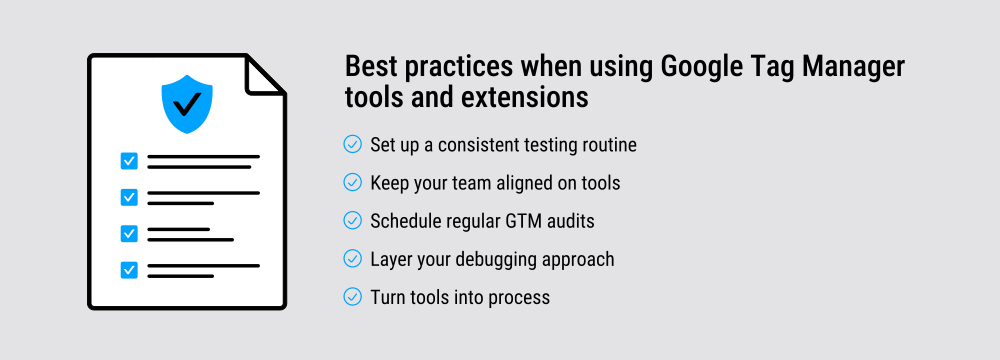
Set up a consistent testing routine
Use debugging extensions during development, not just when things break. Create a simple checklist: validate tags, inspect the data layer, and check privacy compliance. Run through it every time you make changes, so testing becomes part of the workflow, not an afterthought.
Keep your team aligned on tools
Document which Google Tag Manager extensions your team uses and why. New team members need to know which tools to install and how you use them. This prevents the chaos of everyone relying on different debugging methods and helps to ensure consistent results across the team.
Schedule regular GTM audits
Set monthly reminders to review your setup with your tag manager assistant tools. Look for unused tags, confirm that privacy compliance is maintained, and spot configuration drift before it grows into a larger problem.
Layer your debugging approach
Don’t rely on a single extension for complex issues. Use multiple tools together — combine Tag Assistant validation with data layer inspection and performance monitoring for a more complete analysis.
Turn tools into process
The value of GTM tools comes when they’re baked into your team’s routines. With consistent testing, shared practices, and layered debugging, these tools move from being quick fixes to being part of a reliable system that scales with your projects.
Get more from your GTM setup with the right tools
Google Tag Manager tools can help solve a variety of challenges you may be facing. Whether you’re debugging a broken implementation, keeping your team organized, or staying compliant with privacy laws, the right extensions make it more manageable.
The key is choosing GTM tools that address your specific challenges. Don’t install every available Google Tag Manager extension. Pick the ones that solve problems you face regularly and use them consistently.