
At a Glance
- Cookie banners help support compliance with global privacy laws such as GDPR, CCPA, and LGPD, and help avoid fines while protecting user trust.
- A cookie banner is a consent pop-up that informs users about data processing and lets them accept, customize, or opt out.
- GDPR calls for informed, freely given opt-in consent before data collection, while CCPA focuses on notice and an easy opt-out.
- Common banner types include notice-only, opt-out (implied consent), and opt-in.
- Best practices include equal “accept” and “reject” options, clear language, no dark patterns, and on-brand customization.
- A consent management platform (CMP) automates consent setup, customization, and logging to save time and reduce risk.
Cookie banners, also known as consent banners, privacy banners, cookie notices, cookie pop-ups, and other terms, are not new. These days they’re an expected part of the user experience when visitors arrive on websites for the first time.
Data privacy laws like the European Union’s General Data Protection Regulation (GDPR), ePrivacy Directive, California Consumer Protection Act (CCPA), and Brazilian Data Protection Law (LGPD) require companies to notify visitors about data processing and obtain visitors’ consent before collecting, using, or selling their personal information (or opt out in some cases).
Regulators are also increasingly treating cookie user experience as a trust and compliance issue. In 2025, France’s CNIL fined fast-fashion online retailer Shein EUR 150 million for dropping tracking cookies after users opted out, underscoring the reputational stakes for brands.
Clear, transparent notification about data collection and use, and valid consent choices help to enable compliance with these laws. Implementing a cookie banner on your website also informs visitors and helps build engagement and trust.
What Is a Cookie Banner?
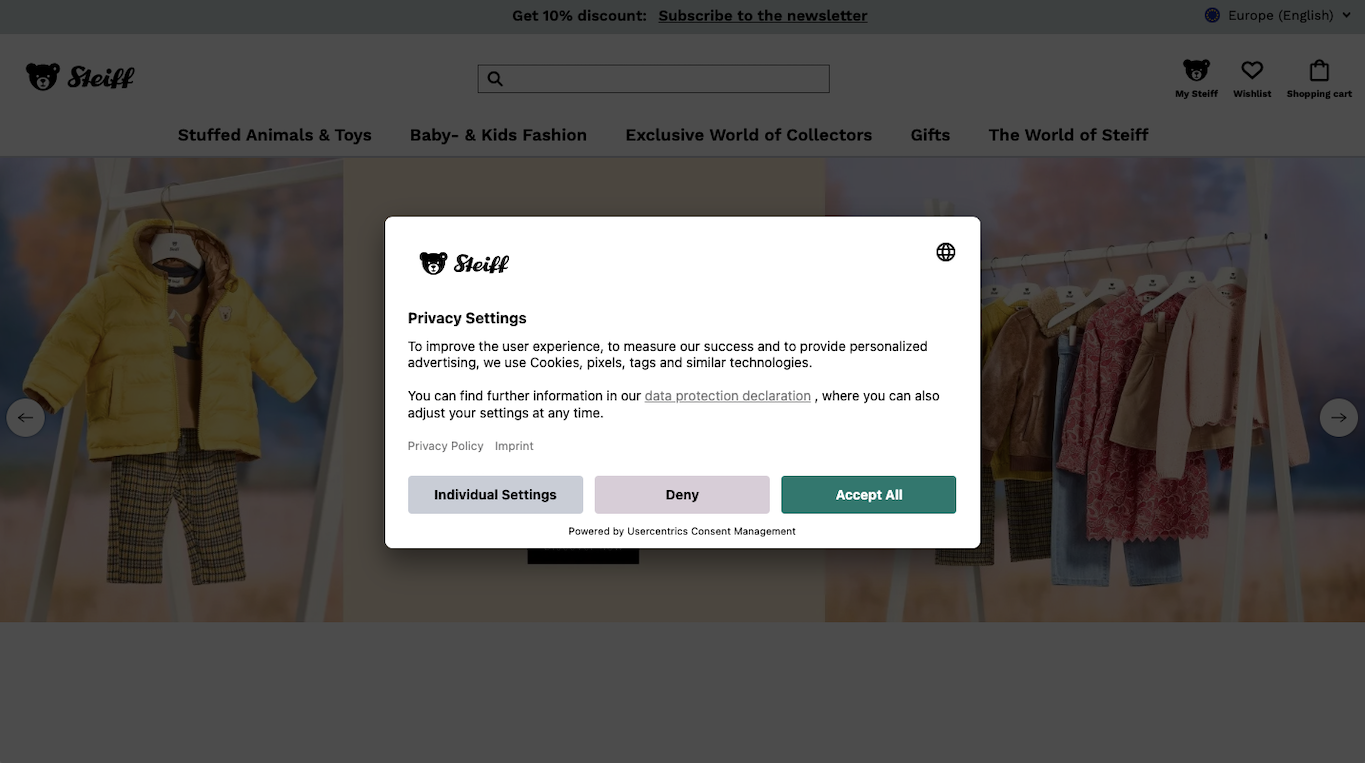
Since the GDPR came into effect in 2018, cookie banners have become increasingly ubiquitous. When a user visits your website for the first time and you have a consent management platform (CMP) set up, a pop-up window or banner will appear to inform the user about the processing of their personal data, including via use of cookies.
A cookie is a small text file that’s saved in the user’s browser and used to store information. It enables functions like the web server’s ability to recognize a user on future visits to the site, but can also include trackers that record behavior on your site and when users go to other sites.
Cookies can be set in a browser without the user knowing it. Tracking pixels are also common tools that enable data collection, with even greater data privacy implications as the data they collect is stored in external web servers.
Jurisdiction matters, too. After the CNIL’s 2025 enforcement against Google over consent-less cookies and ads in Gmail, it’s become more common for multinational companies to include explicit opt-in in the EU and opt-out in jurisdictions like California to align with local rules.
Learn more about tracking pixels vs. cookies, including what they do, how they’re different, and privacy compliance requirements for using them.
How Does a Cookie Consent Banner Work?
A cookie consent banner gives your website visitors control over their website experience, how they are tracked, and how their data is used. It informs visitors about the web technologies, including cookies, that are used on the website to ensure its proper functioning and collect data for analytics, advertising, and similar functions.
Consent banners or cookie consent pop-ups typically appear on or over a website’s homepage and are interactive. The goal is for users to select consent preferences in the cookie banner — if they interact with it — those preferences are saved by your website’s CMP. Those consent signals then control what cookies and other tracking technologies are allowed to collect personal data.
When a user selects their consent preferences, the CMP can pass signals through the marketing stack using tools like Google Consent Mode, for example, so Google Analytics and Ads respect consent and use modeled data where permitted. Various major platforms now provide these tools, including Microsoft with UET Consent Mode for Microsoft Ads and Clarity for behavioral analytics.
Read more about the GDPR and cookies. Find out how to maximize data capture while meeting privacy requirements.
Benefits of a Privacy-Compliant Cookie Banner
Privacy violations can come with hefty fines and operational disruptions. However, the worst and potentially most damaging part over time is losing your customer’s trust and the damage to your brand reputation.
Making users’ ability to reject cookie use as easy as accepting isn’t just mandated and ethical, it’s enforceable. For example, the CNIL’s 2022 fines against Google and Meta highlighted that asymmetric choices — such as when “accept” and “reject” buttons aren’t equally displayed — constitute a dark pattern.
People are becoming increasingly aware of privacy and their rights regarding their data and won’t do business with companies they don’t trust. Showing that you take their privacy seriously via a cookie consent pop-up empowers them to control access to their data and can be a key competitive advantage.
When you implement robust consent management and increase user trust, people are more inclined to share more of their data and become return customers. More data also means better insights for marketing and more ad revenue.
Cookie Banner Requirements
Data privacy laws require organizations that process personal data to be transparent about what they collect and how it’s used. This is where cookie banners come in, to provide visitors with clear information in plain language (and a link to the privacy policy) about:
- Which cookies and trackers are in use
- What personal data is collected and for what purpose(s)
- Who may have access to the data
- How data is secured and how long it’s retained
- Users’ privacy rights and how to exercise them
With that information in hand, a website visitor must be able to opt in or opt out of the use of cookies, depending on relevant laws where they live. Ideally, they can agree to all cookie use or none, or customize their preferences granularly.
Ideally, design the banner with a layered approach to make all information and options clear and available, but maintain a good user experience that’s not overly cluttered and enables users to access only as much as they want.
For example, in the first layer of the cookie banner, include a plain language summary of data collected and its use, along with equal “accept” and “reject” buttons and a link to the privacy policy and other relevant documents. Then, in the second layer, include granular toggles with purposes and a list of providers.
Types of Cookie Consent Banners
There are three primary types of cookie consent banners that can be integrated into a company’s website. Which one(s) can and should be used depends on business operations, technologies in use, and relevant data privacy requirements.
Notice-Only Cookie Banner
This type of consent banner is usually located at the bottom of a page and informs people about the use of cookies being processed on a website. However, it does not provide opt-in or opt-out options.
This would not be a compliant cookie banner for most companies under most privacy laws. Some laws, like the GDPR, require users be able to opt in before any data is collected, also per European Data Protection Board (EDPB) guidance. Others, like the CCPA, do not require prior consent but do require opt-out options.
The only way a notice-only banner would be compliant is if your website only used essential cookies that enabled functionality, and did not use any for analytics or marketing. For this reason, this type of notice is not common.
Implied Consent Cookie Banner (Opt-Out)
This pop-up or banner assumes user consent based on actions such as ongoing use of the website. For instance, a banner might state, “Continuing to use this website will be taken as consent to use cookies.” Therefore, people are typically required to take action if they want to reject the use of certain types of cookies.
Opt-out cookie banners can align with data privacy laws like the CCPA, which don’t mandate explicit prior user consent for cookies in most cases, the exceptions are for access to sensitive personal data or data belonging to children. This type of cookie banner would not comply with the requirements of the GDPR, LGPD, or other laws that require prior consent.
In jurisdictions that require opt-out options, companies need to make sure that function is easily accessible. In California, for example, opt-out remains viable, but you must honor “Do Not Sell or Share My Personal Information” and Global Privacy Control (GPC) requirements.
Sephora’s 2022 settlement and Healthline’s 2025 USD 1.55 million settlement centered on failures to process opt-outs and GPC signals. The California Opt Me Out Act, signed into law in October 2025, brings further requirements for browsers to enable and respect opt-out signals.
Explicit Consent Cookie Banner (Opt-In)
This category of consent banner requires people to make an active selection, typically by clicking “accept,” to permit the use of cookies and other tracking technologies placed on their device. This option offers clearer control and can be fully compliant with the requirements of stricter privacy laws like the GDPR.
The CNIL’s 2025 sanction against Google again reinforced explicit, informed consent as the baseline for EU audiences.
Cookie Banner Design Examples and Best Practices
Designs for cookie consent banners vary. However, there are certain best practices to follow when creating a cookie consent pop-up to ensure that it is clear, informative, user-friendly, and provides people with granular control.
Cookie Banner Customization
Create a customized consent banner that matches your brand’s visual identity. One that fits in with your brand — in terms of colors, fonts, logo, language, etc. — feels more intentional and like it’s a request from your company than one that hasn’t been customized at all. It helps build credibility.
A robust consent management platform will enable your teams — whether they’re technical or not — to fully customize the look, feel, and content of your banner.
Clear and Informative Text
Your cookie banner text should inform the visitor about the cookies the website is using and their clear purpose. “To improve experience” isn’t good enough. Avoid technical jargon and legalese as well.
Automated Scanning to Detect and Block Cookies
Your CMP should provide automated recurring scanning to detect all the cookies and trackers (upon implementation and as they change over time), to avoid compliance risks from not declaring them, and so you can use that information in the banner as well as the privacy policy to provide transparency.
A comprehensive CMP will also block cookies and trackers until valid consent is obtained, in line with requirements of privacy laws like the GDPR.
Consent Selection and Management Mechanisms
Provide both “accept” and “reject” options equally. Avoid dark patterns to encourage all-inclusive consent, like making the reject option hard to find or removing it entirely. It is fine to let users know what the consequences can be if declining some or all non-essential cookies.
Once someone sets their cookie preferences, they should be able to modify them at any time via a prominent link or a button on the web page.
Consent Records Storage and Provision
Users’ consent preferences should be securely stored and updated any time a user changes them. The logs should contain who made the request, when, what their choices were, and what information was presented to them.
This information has to be provided to data protection authorities if requested, or to users who make a data subject access request (DSAR).
Optimize User Experience Globally
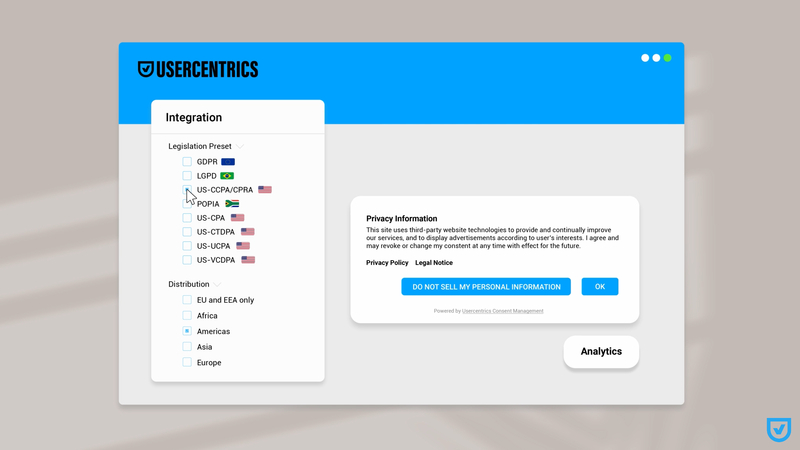
A CMP with geolocation features can help ensure that all users see the right banner information and consent options for their jurisdiction, ideally in their preferred language. (Usercentrics CMP supports over 60 languages.)
How to Install a Cookie Banner on My Website?
There are multiple ways to install a cookie banner on your website. It’s possible to build your own, but doing so and maintaining it require a lot of resources, and there are legal risks with trying to keep it up to date on your own.
We strongly recommend using a consent management platform, such as Usercentrics CMP, that enables you to create a customized and privacy-compliant cookie banner in minutes, which will be automatically kept updated and scale with your business.
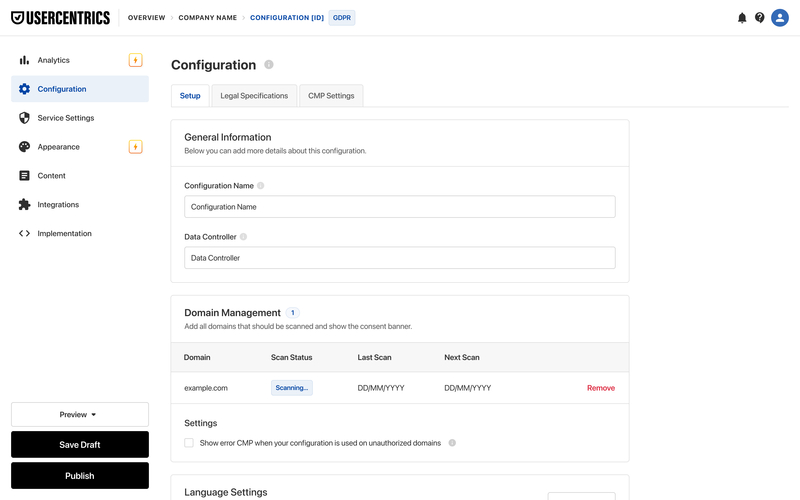
Upon setup, the CMP scans your website so you know which cookies and tracking technologies are collecting data. Third-party trackers can be deeply embedded and hard to detect, so powerful technology helps here. Use this information to populate your privacy policy and granular cookie consent options, as legally required.
Usercentrics CMP records and maintains a log of the cookie consents you receive from website visitors over time, including time and date stamps, information presented, and choices or changes made. The format is portable so you can provide it to data subjects or data protection authorities.
With default integrations, Usercentrics CMP also signals consent choices to third-party platforms like those from Google, Microsoft, or Amazon to ensure tags don’t fire and start collecting data unless consent has been given.
Learn about e-commerce consent requirements and how retailers can build trust.
Why are Cookie Banners Important for Privacy Compliance?
As of the beginning of 2025, 82 percent of the world’s population was covered by at least one privacy regulation. Many jurisdictions use an opt-in consent model for collecting and processing personal data. But regardless of the consent model, pretty much all privacy regulations require transparency with data subjects about what data is collected and why, and what their options are.
Since website visitors can come from pretty much anywhere, it’s safer to assume you need a cookie banner to provide data processing information and consent options for everyone. It’s also a privacy best practice to adopt stricter privacy standards, rather than getting away with doing the least possible.
Doing more upfront also helps future-proof your marketing and privacy compliance operations as laws change — the world, both in terms of regulations and consumers’ expectations, is trending more privacy-centric.
Which type of banner, consent options, and regulatory requirements apply depend on your business and where your visitors are. You may need to comply with only one regulation, or many. Usercentrics has templates to enable you to cover the laws and regions that affect your business.
Do I Need a Cookie Banner on My Website?
Almost certainly, yes. Websites that use no non-essential cookies are rare. If you collect any personal data, whether it’s for ads, site improvement analytics, newsletter signups, e-commerce fulfillment, or other purposes, it’s at least a very good idea, and most likely a critical business and regulatory requirement to set up a CMP and customize your cookie banner.
Let’s look at some important regions and regulations and their cookie banner requirements.
Find out what consent requirements are across the EU and country by country with our handy checklist.
Cookie Banner Requirements by Region
Cookie banners are no longer just a formality, they are a necessity. And if your consent banner does not comply with relevant regulations, you risk hefty fines and other penalties as well as loss of customer trust.
Under the GDPR, fines can be up to EUR 20 million or four percent of a company’s global annual revenue, whichever is higher. In the US, fines in California go up to USD 7,500 per violation, adjusted to the Consumer Price Index every two years (so currently just under USD 8,000 per violation).
In the UK, the Information Commissioner’s Office (ICO) can impose fines of up to GBP 17.5 million or 4 percent of a company’s global annual revenue, whichever is higher for the highest tier and severity of UK GDPR violations.
Individuals in jurisdictions like the EU and California also have a private right of action in the event of a data breach, so can sue companies for damages if they fail to adequately protect their data.
Fines can be imposed for various reasons, some examples from enforcement actions being:
- not obtaining valid consent
- not providing clear information about data collection and use
- collecting children’s data without parental consent
- retaining data longer than necessary
- not giving users a genuine choice to accept or reject cookies
In recent years, multiple class-action lawsuits have been filed in California against companies alleged to have continued tracking users who explicitly opted out, and the California Privacy Protection Agency (CPPA) has been ramping up various types of enforcement.
Each privacy framework — from the GDPR in the EU, to individual U.S. state-level laws like the CCPA, Canada’s PIPEDA, and Japan’s APPI — defines its own rules for consent, notice, compliance processes, and user control.
Understanding these differences is key to building a banner that’s not only compliant but also trustworthy and user-friendly. The following sections outline the essential requirements and best practices for cookie banners across major regions, helping you adapt your approach to local expectations and legal standards.
GDPR Cookie Banners, Requirements, and Best Practices
The GDPR doesn’t explicitly mention tracking cookies, which is more explicitly covered by the ePrivacy Directive guidelines, however, there are GDPR consent requirements for data processing and collection. According to Art. 7 GDPR, user consent must be obtained before any personal information is collected, and be:
- Freely given
- Informed
- Specific
- Unambiguous
- Easily revocable
Under EDPB consent guidance, cookie walls that block site access, and pre-ticked boxes fail the test for valid consent management.
Get our GDPR checklist to help you manage consent for GDPR compliance. Provide transparency and user-friendly consent choices with your cookie banner.
UK GDPR Cookie Banners, Requirements, and Best Practices
The UK GDPR is very similar to the EU’s GDPR, so its requirements for cookie use are largely the same. Also relevant are the requirements of the Privacy and Electronic Communications Regulations (PECR).
Websites must obtain a user’s prior, explicit consent before storing or accessing cookies that are not strictly necessary for site operation. This includes analytics, advertising, and personalization cookies.
As with the GDPR, consent must be freely given, specific, informed, and unambiguous — meaning no pre-ticked boxes or implied consent. A compliant cookie banner should clearly explain what types of cookies are used, their purposes, and provide equal options to accept or reject non-essential cookies to support transparency and user control from the first visit.
Get our UK GDPR checklist to help you manage consent for UK GDPR compliance. Provide transparency and user-friendly consent choices with your cookie banner.
LGPD Cookie Banners, Requirements, and Best Practices
The LGPD is also quite similar to the GDPR, so requirements do not diverge a great deal. Websites using consent as a legal basis must obtain clear, informed, and freely given consent before collecting or processing personal data, including through cookies and similar tracking technologies.
Consent must specify what data is collected, the purpose of data use, and be easy for users to withdraw at any time.
While the LGPD does not mandate a specific cookie banner format, displaying a clear, prominent, user-friendly cookie banner is the most effective way to meet its transparency and user rights obligations.
Get our LGPD checklist to help you manage consent for LGPD compliance. Provide transparency and user-friendly consent choices with your cookie banner.
CCPA Cookie Banners, Requirements, and Best Practices
To comply with the California Consumer Privacy Act (CCPA) and the California Privacy Rights Act (CPRA), your cookie banner should focus on providing a notice of collection and the option to opt out of data processing at any time.
You must include a prominent link on your website that states “Do Not Sell or Share My Personal Information” for California-based visitors and working GPC logic, as recent California enforcement actions show that regulators are testing these flows and compliance with the signals.
If you process sensitive personal information of visitors from California, on the website you also need to include an easily accessible link that reads “Limit the Use of My Sensitive Personal Information.”
Some types of data that qualify as sensitive under California law include: driver’s license or passport number, credit card number with password or other access credentials, genetic data, or the contents of personal communications like email or text messages.
Get our CCPA checklist to help you manage consent for California’s privacy law compliance. Provide transparency and user-friendly consent choices with your cookie banner.
Colorado Privacy Act (CPA) Cookie Banners, Requirements, and Best Practices
The Colorado Privacy Act follows the same model as other U.S. states with data privacy laws to date, so prior consent is not required in most cases for data processing. However, notification about what data is collected, how it’s used, who will have access to it, and what users’ rights are and how to exercise them is required.
Businesses do have to obtain clear, explicit, and informed consent before processing sensitive personal data, such as health, biometric, or precise geolocation information, or personal data belonging to children. And for cookies and similar tracking technologies, an easily accessible opt-out option is required when they are used to collect personal data for targeted advertising or profiling.
While the law doesn’t mandate cookie banners by name, implementing a transparent consent banner that allows users to accept or reject tracking aligns with the CPA’s principles of user choice and data minimization.
Get our CPA checklist to help you manage consent for Colorado’s privacy law compliance. Provide transparency and user-friendly consent choices with your cookie banner.
Connecticut Data Privacy Act (CTDPA) Cookie banners, Requirements, and Best Practices
Under the Connecticut Data Privacy Act, businesses must provide clear, prominent notice and enable consumers to opt out of the sale of personal data, targeted advertising, or profiling with legal or similarly significant effects.
Prior consent is not required for most data collection and processing, but the CTDPA requires clear opt-in consent for processing sensitive personal data like health or biometric information, precise geolocation, or data belonging to children.
The law does not explicitly use the term cookie banner, but best-practice implementation involves providing an opt-out option — or opt-in consent for sensitive data — and securing users’ data and signaling their consent choices throughout the marketing ecosystem.
Get our CTDPA checklist to help you manage consent for Connecticut’s privacy law compliance. Provide transparency and user-friendly consent choices with your cookie banner.
Texas Data Privacy and Security Act (TDPSA) Cookie Banners, Requirements, and Best Practices
The Texas Data Privacy and Security Act follows the same model as other U.S. states with data privacy laws to date, so prior consent is not required in most cases for data processing. However, notification about what data is collected, how it’s used, who will have access to it, and what users’ rights are and how to exercise them is required.
Of note is that the compliance requirements of the TDPSA are more minimal than most of the U.S. privacy laws, and exclude a lot more organizations, including small businesses.
Data subjects have to be able to easily opt out of data sale or its use for targeted advertising or profiling. For sensitive personal data, such as precise geolocation, biometric, or health-related information, the controller must obtain prior consumer consent via a clear affirmative act that is freely given, specific, informed and unambiguous.
While the statute does not mention cookie banners explicitly, implementing a cookie or consent banner that presents these disclosures, supports opt-out (and, where applicable, consent) for tracking or profiling, and avoids dark patterns is considered a best practice for compliance.
Get our TDPSA checklist to help you manage consent for the Texas privacy law compliance. Provide transparency and user-friendly consent choices with your cookie banner.
Virginia Consumer Data Protection Act (VCDPA) Cookie banners, Requirements, and best Practices
The Virginia Consumer Data Protection Act follows the same model as other U.S. states with data privacy laws to date, so prior consent is not required in most cases for data processing. However, notification about what data is collected, how it’s used, who will have access to it is required, along with what users’ rights are and how to exercise them.
Organizations that are required to comply must obtain opt-in consent before processing sensitive personal data — information such as precise geolocation, health details, or personal data from children. Consent has to be freely given, specific, informed, and unambiguous.
The law doesn’t explicitly require cookie banners, but an opt-out option is necessary when cookies or similar technologies are used for targeted advertising or profiling. Displaying a clear, easy-to-understand cookie banner that allows users to opt out enables organizations to demonstrate compliance with the law’s requirements.
Get our VCDPA checklist to help you manage consent for Virginia’s privacy law compliance. Provide transparency and user-friendly consent choices with your cookie banner.
PIPEDA Cookie Banners, Requirements, and Best Practices for Canada
Under Canada’s Personal Information Protection and Electronic Documents Act (PIPEDA), organizations must obtain meaningful consent before collecting, using, or disclosing personal information, including data gathered through cookies and other online trackers.
Consent must be informed, specific, and based on clear communication about what data is being collected, how it will be used, and with whom it may be shared.
While PIPEDA does not explicitly prescribe the use of cookie banners, implementing one that clearly explains tracking purposes and provides an easy way for users to opt in or adjust preferences helps demonstrate compliance with the law’s transparency and accountability principles.
PIPL Cookie Banners, Requirements, and Best Practices for China
Under China’s Personal Information Protection Law (PIPL), organizations using consent as a legal basis must obtain a user’s explicit, informed, and voluntary consent before collecting or using personal information, including data gathered through cookies and similar tracking technologies.
The PIPL does use legal bases for data processing — including consent — though unlike the GDPR legitimate interests is not one of them. Individuals have the right to withdraw their consent at any time, which must be as easy to do as providing consent. However, the consent withdrawal does not invalidate processing carried out prior to withdrawal.
Consent must be explicit and given for a clear and specific purpose. Websites are expected to provide an easily understandable notice — often through a cookie banner or pop-up — explaining what data is collected, how it will be used, and whether it will be shared with third parties.
The PIPL also requires additional consent for processing sensitive personal information, providing personal information to other processors, or transferring data outside China, making transparency and user control essential for compliance.
APPI Cookie Banners, Requirements, and Best Practices for Japan
Japan’s Act on the Protection of Personal Information (APPI) has requirements more similar to U.S. state-level laws, as prior consent is not required in many cases. The APPI also does not use legal bases such as consent or legitimate interest — as the GDPR does — for justification of data collection and processing.
However, the personal information controller (PIC) does have to notify data subjects of the purpose of using the data prior to collecting it. And the PIC must obtain consent prior to collection if the personal information is sensitive, will be transferred cross-border, and/or if the data is to be transferred to a third party, though there are some exceptions to that requirement.
So overall, under the APPI a cookie banner is valuable for notification purposes all the time. Depending on processing operations, a controller may or may not need to provide it for consent requirements.
Setting Up Your Cookie Banner on Popular CMS Platforms
If you use one of the popular content management systems (CMS), you can easily set up a privacy-compliant cookie banner on your website with one of our straightforward integrations. Usercentrics offers detailed step-by-step guides for the most common platforms:
- Set up a Shopify cookie banner: Learn how to integrate a Shopify cookie banner to keep your online store privacy-compliant while maintaining a seamless shopping experience.
- Set up a Wix cookie banner: Set up a Wix cookie banner that matches your site design and provides full control over consent preferences.
- Set up a HubSpot cookie banner: Implement a HubSpot cookie banner to manage tracking and marketing cookies directly within your CRM ecosystem.
- Set up a Webflow cookie banner: Add a Webflow cookie banner that helps to ensure privacy compliance while preserving your brand’s visual style.
Each guide walks you through installation, customization, and compliance tips, helping you tailor your banner’s look and consent flow to your users’ expectations and relevant regulatory requirements.
Do All Types of Cookies Require User Consent?
Cookies are not the only web technology that can be used in a browser for tracking or data collection purposes. Tracking and retargeting pixels are also used. However, under data privacy regulations, the important thing is that these technologies collect personal data. Exactly how they do it doesn’t matter as much.
“Strictly necessary” cookies enable a website to function as intended and do not require user consent. For example, if you want to save a customer’s preferred language, or enable them to browse your e-commerce website while saving the items in their shopping cart, that requires cookies, but for those functions you don’t need consent.
Analytics cookies, which provide details like how many visitors are on the website, how long they’ve spent on pages, and what pages or functions they’re accessing, do require user consent.
Where analytics are essential to operations, some sites switch to modeled reporting via Consent Mode until opt-in is obtained, then activate full data collection.
Third-party cookies also require consent, as they track users when they go to other websites. The same goes for any other web technologies that collect users’ personal information, such as name, IP address, location, or other data that can be used to identify a person.
Third-party cookie use is being phased out, but isn’t universally deprecated. It’s optional in Google’s Chrome browser, for example.
What’s the difference among zero-, first-, and third-party data and the cookies that collect it?
A website should only load the cookies that a user has consented to. However, there are tools, like Google Consent Mode, that not only enable signaling of consent choices, but also help recover valuable data and provide anonymized analytic modeling even without the data processing that’s enabled by user consent.
How Usercentrics Consent Management Platform (CMP) Supports Cookie Compliance
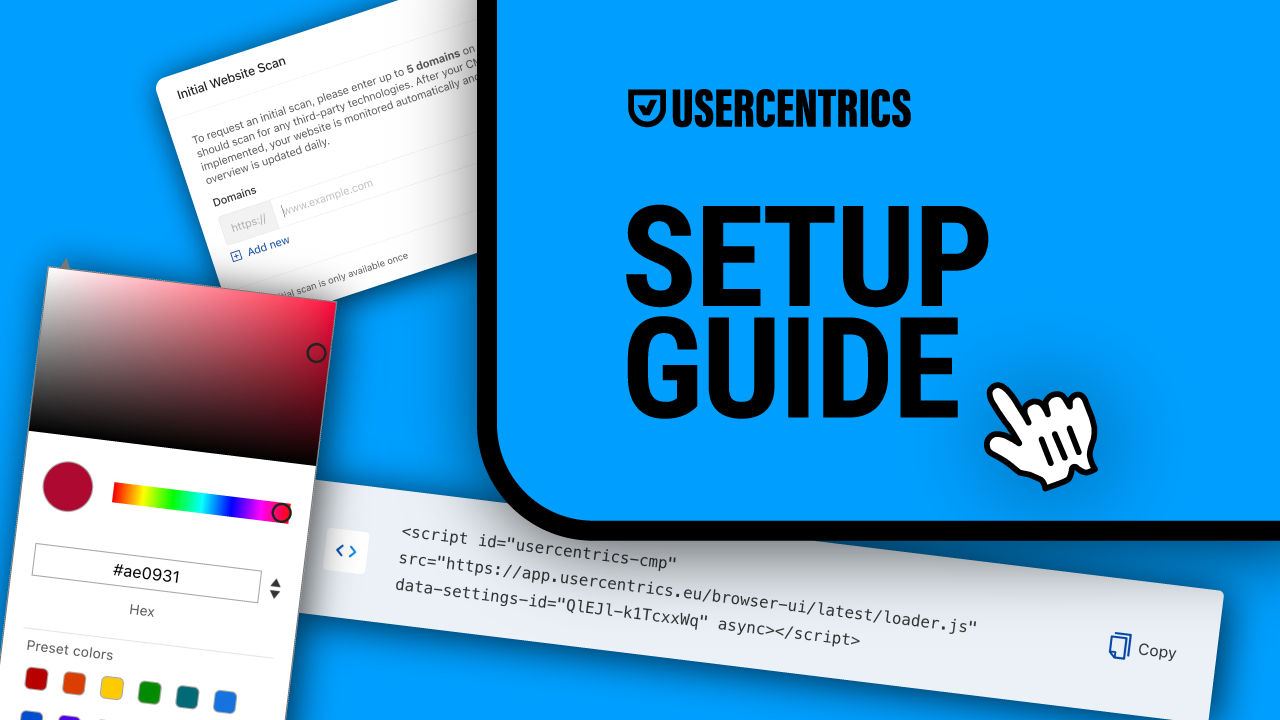
Usercentrics Consent Management Platform provides a comprehensive suite of features so you can easily set up, customize, and automatically maintain your cookie banner.
The scanner detects all the cookies and trackers in use and repeats scans regularly as technologies in use and legal requirements change. This means you can keep your cookie banner and privacy policy up to date as privacy laws require, with minimal resource demands.
Our extensive database of over 2,200 legal templates for data processing services saves time and money on setup and for maintenance, and enables you to rely on our expertise.
Our regional templates and geolocation functionality mean that you can show all visitors the right information about their rights, options, and legal requirements at the right time and in any of our 60+ supported languages.
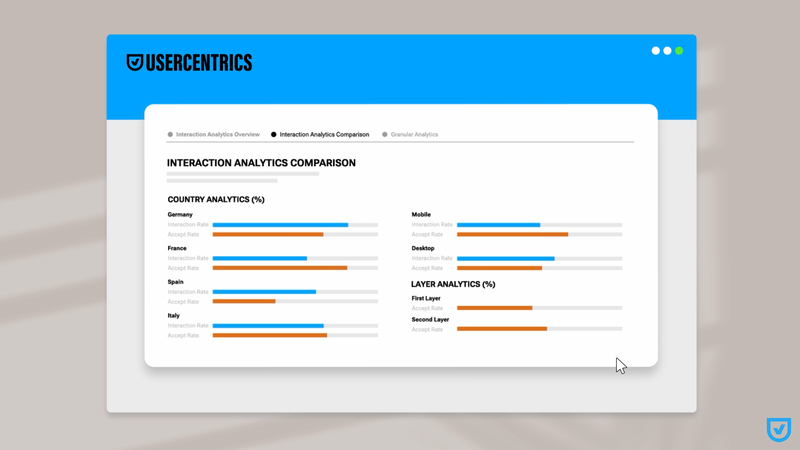
Our in-depth analytics enable you to analyze user interactions and consent choices to gain insights that enable cookie banner optimization to boost consent rates. You can also test and preview your changes in-tool to make sure everything looks great.
Whether you run a small business website or are a global enterprise with a lot of web properties, we have solutions for websites, apps, and other connected platforms, as well as a Privacy Policy Generator and more to help you achieve and maintain privacy compliance and your users’ trust while improving marketing performance.

Join our growing community of data privacy enthusiasts now. Subscribe to the Usercentrics newsletter and get the latest updates right in your inbox.